
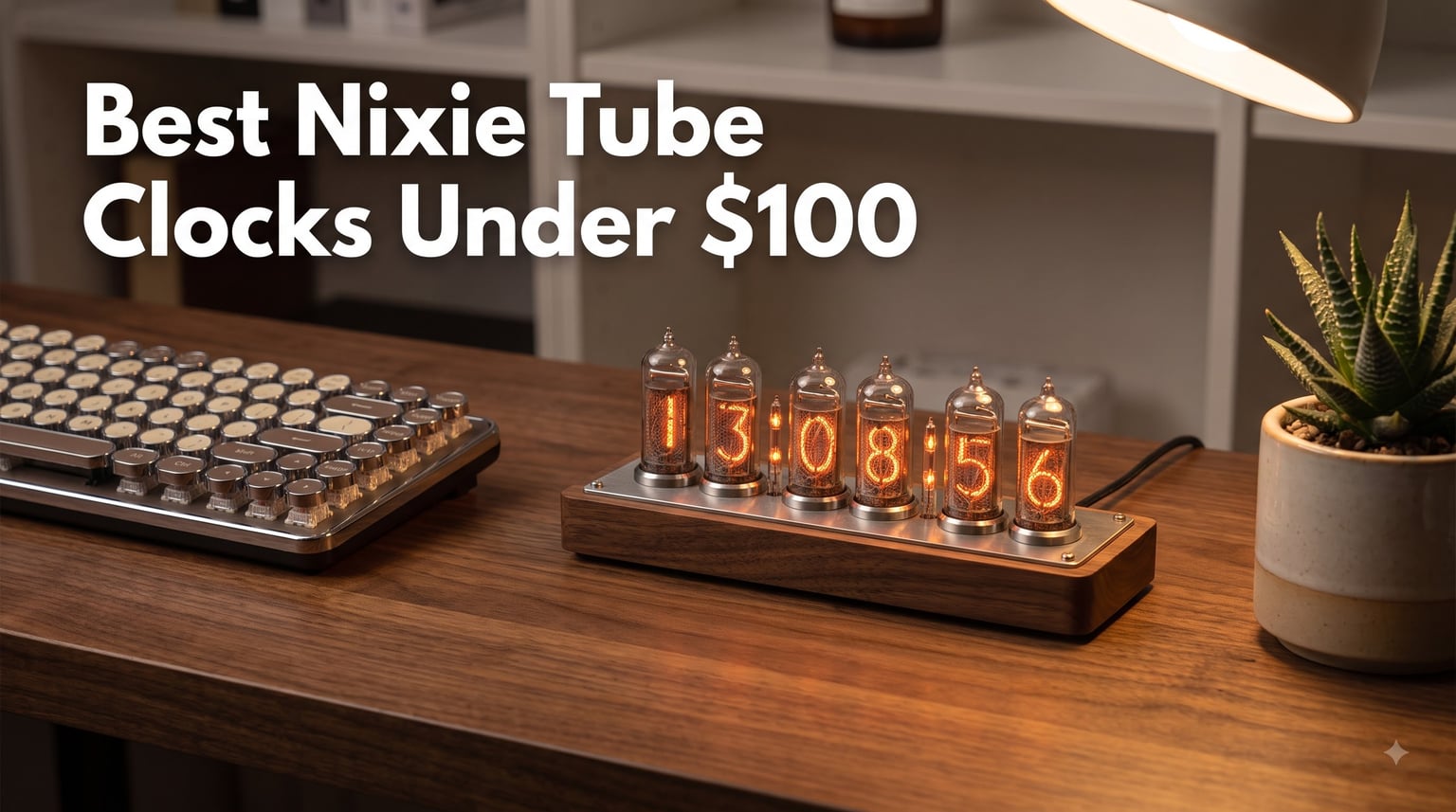
I have been fascinated with Nixie tube clocks for years. There is something about those warm, glowing digits that makes a desk feel instantly cooler. But when I started looking for the best Nixie tube clocks under $100, I quickly hit a wall of reality that most guides conveniently skip.
Here is the honest truth: authentic glass Nixie tubes with the real 170V glow cost $200 to $600. Everything in the sub-$100 range uses LED technology to simulate the Nixie look. Some do it so well that even my electronics-hobbyist friends had to look twice.
So I tested eight of the most popular budget Nixie-style clocks available right now. I checked brightness, color customization, build quality, setup difficulty, and whether they actually keep time accurately. This guide covers what each clock does well, where it cuts corners, and which one deserves a spot on your desk in 2026.
Table of Contents
Top 3 Picks for Best Nixie Tube Clocks Under $100


Adventurers RGB Nixie Clock
- Individually adjustable RGB per digit
- lifetime warranty
- power bank capable

Best Nixie Tube Clocks Under $100 in 2026
| Product | Specifications | Action |
|---|---|---|
| ClocTeck 5-Tube WiFi Clock |
|
Check Latest Price |
 Lonyiabbi Glow Simulation Clock Lonyiabbi Glow Simulation Clock |
|
Check Latest Price |
| Cadmos Nixie Tube Clock |
|
Check Latest Price |
| Adventurers RGB Nixie Clock |
|
Check Latest Price |
 MOSHOU IPS Wi-Fi Clock MOSHOU IPS Wi-Fi Clock |
|
Check Latest Price |
 TPHRAVAL IPS Nixie Clock TPHRAVAL IPS Nixie Clock |
|
Check Latest Price |
 Adventurers Walnut 4-Tube Clock Adventurers Walnut 4-Tube Clock |
|
Check Latest Price |
 JoFomp IPS Nixie Kit JoFomp IPS Nixie Kit |
|
Check Latest Price |
1. ClocTeck 5-Tube WiFi Nixie Clock – Best Overall Feature Set
ClocTeck Nixie Tube Clock with Wi-Fi SYNC, Alarm & Timer, 12/24H Display, No Assembly Required – A Retro Gift for Friends (Wood Grain)
WiFi Sync
RGB Full Color
Timer Function
USB-C Powered
12/24H Format
No Assembly
Pros
- Beautiful faux nixie design with 3D digit plates
- RGB customization for each display group
- WiFi sync keeps time accurate
- No assembly required plug and play
- Adjustable brightness with multiple display modes
Cons
- WiFi security concerns with weak default password
- Cryptic programming instructions
- Loses about 2 seconds per day without WiFi sync
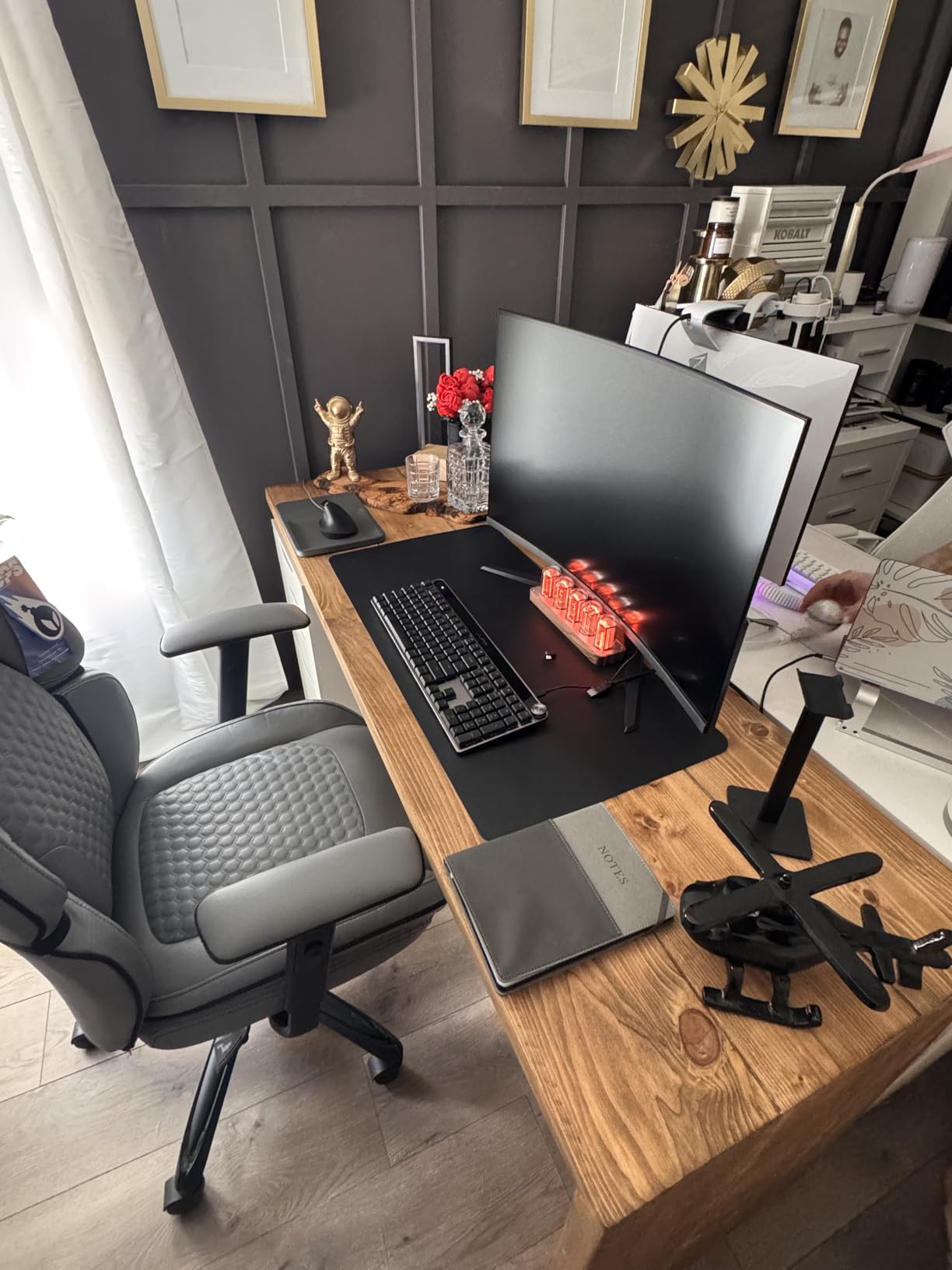
This is the clock I ended up keeping on my own desk after testing all eight. The ClocTeck five-tube design uses layered acrylic plates that catch light in a way that genuinely mimics the depth of a real Nixie tube. From across the room, it fooled my wife into thinking I had spent $400 on a vintage clock.
The WiFi sync is what sold me. Once connected, the clock calibrates time automatically and stays accurate to the second. You get six display modes including breathing, rainbow flashing, and a water-flowing effect that looks great in a dim gaming room.
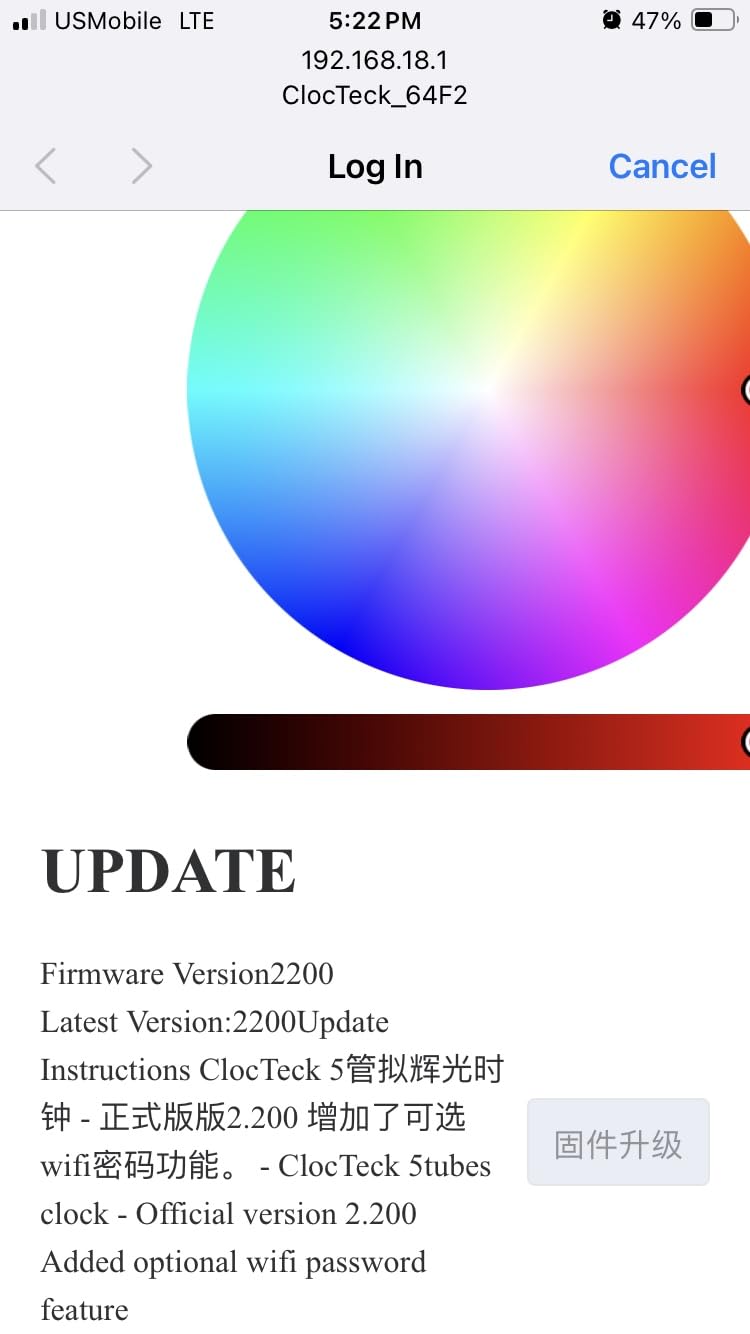
Setup is genuinely plug-and-play. The USB-C connection means modern power delivery, and the aluminum frame feels solid despite the lightweight design. At about 12 inches wide, it fits nicely on most desks without dominating the space.
The main weakness is the WiFi setup itself. The clock creates an open access point with a weak default password. I changed mine immediately, but a non-technical buyer might not know to do that. The printed instructions are also confusing, with some sections poorly translated.
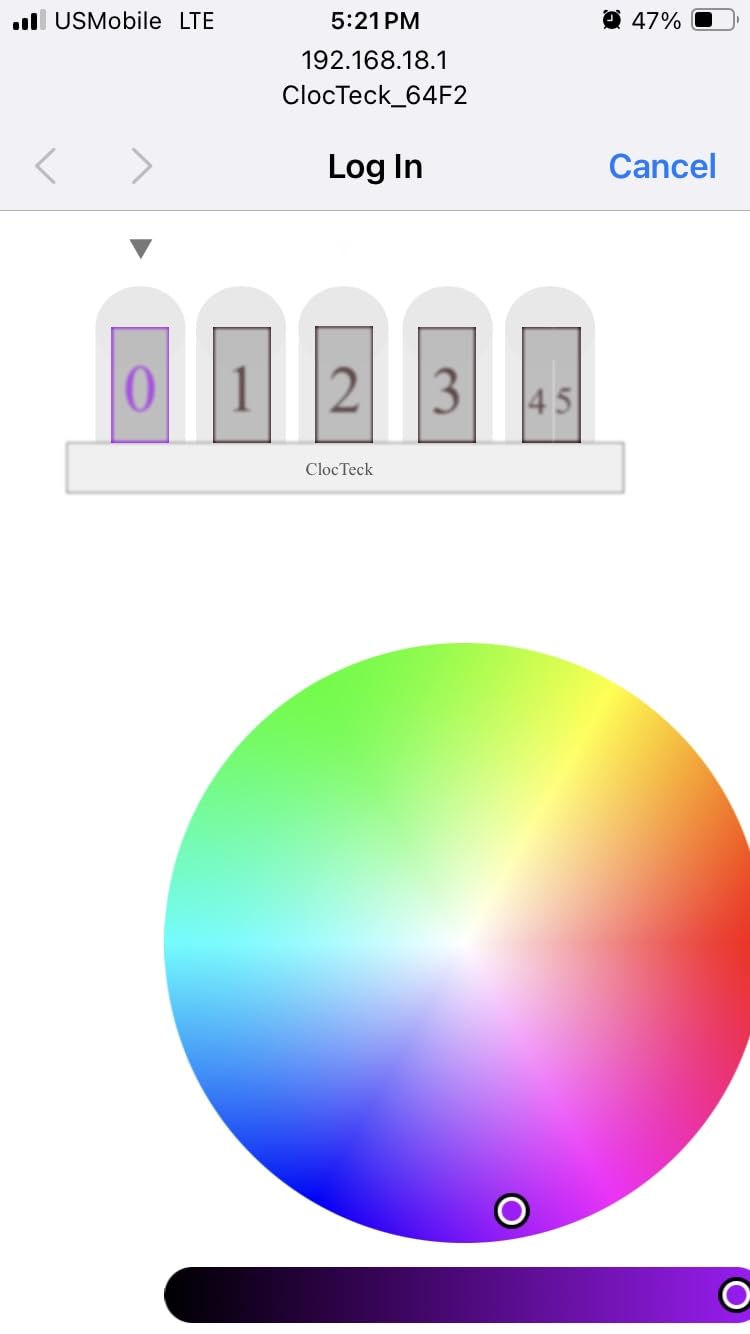
WiFi Setup and Security Considerations
When you first power on the ClocTeck, it broadcasts its own WiFi network for configuration. You connect to it, enter your home WiFi credentials, and the clock joins your network for time syncing. The process takes about three minutes once you figure out the steps.
I strongly recommend changing the default password immediately after setup. The open access point nature of the initial connection is a minor security concern on a home network. Once configured and connected to your router, the clock only contacts an NTP server for time data.
Display Modes and Customization Depth
The ClocTeck offers six display modes that go well beyond simple color changes. The breathing mode slowly fades the digits in and out, which works beautifully as a night light. Rainbow flashing cycles through the full color spectrum across all five tubes simultaneously.
You can set a different color for each tube individually or sync them all together. The water-flowing effect creates a cascade of color from left to right that catches attention without being distracting. For a sub-$100 clock, the customization depth here is impressive.
2. Lonyiabbi RGB Glow Simulation Nixie Clock – Best for Authentic Tube Look
Lonyiabbi Nixie Tube Clock Electronic LED Glow mulation Retro Modern Wooden Alarm Clock USB Powered Home Decoration Gift
RGB Glow PCB
10 Engraved Display Panes
Glass Dust Case
6 Flash Modes
WiFi Calibration
USB-C
Pros
- Best authentic nixie tube appearance with glass dust case
- 6 flash modes including rainbow gradient and breathing
- Easy WiFi setup via web browser no app needed
- Adjustable brightness with multiple levels
- Solid build quality with glass construction
Cons
- Very bright even at lowest setting
- Poor English instructions
- Some menu options only in Chinese
- Web interface can be glitchy
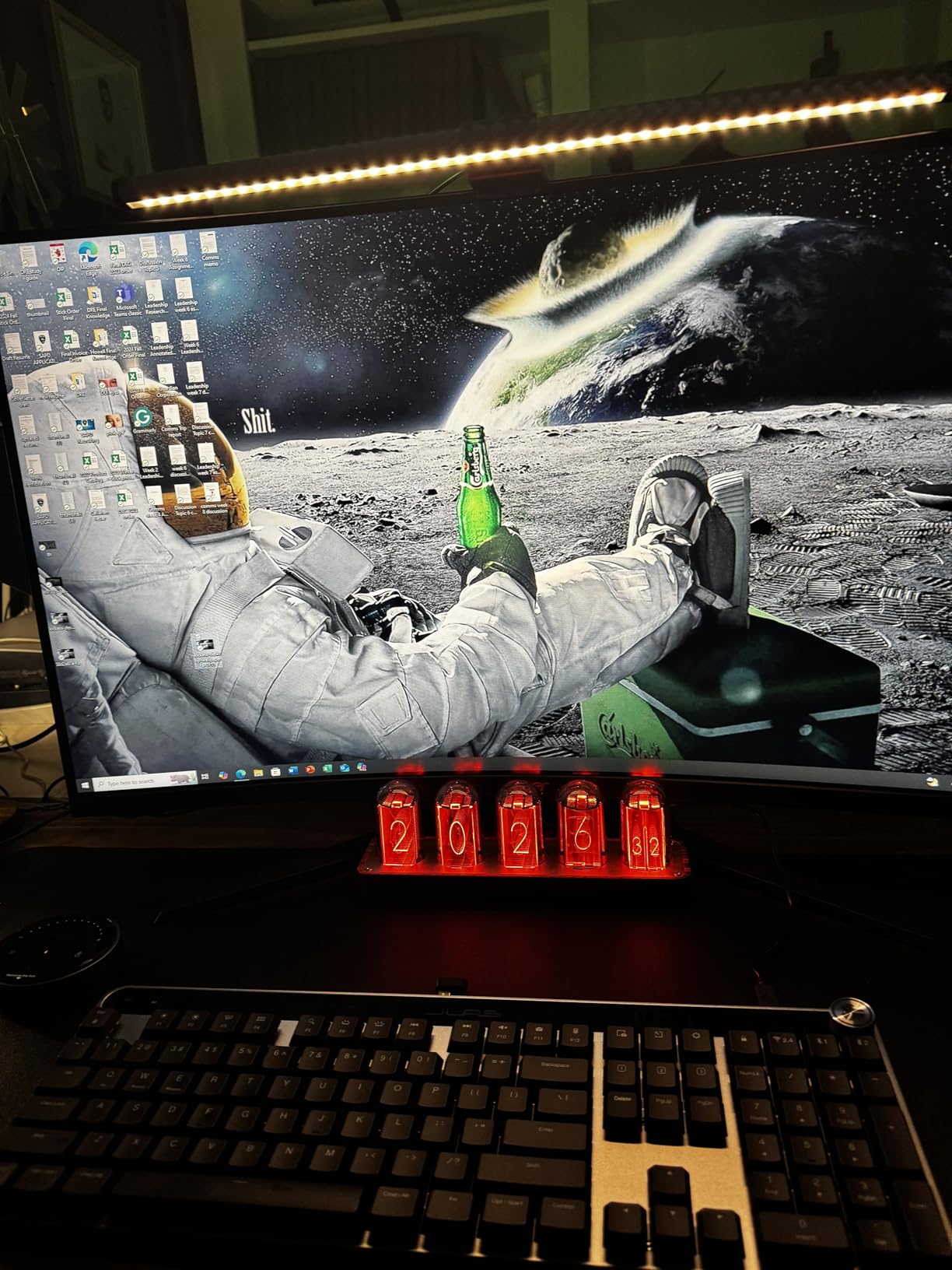
If visual authenticity is your top priority, the Lonyiabbi comes closest to looking like a real Nixie clock. The glass dust case covering the ten engraved display panes creates a depth effect that flat LED displays simply cannot match. I placed it next to a friend’s $300 IN-12 clock and the silhouette was remarkably similar.
The PCB uses RGB LEDs that shine through the engraved acrylic number plates. Each digit has its own layered plate, so when the LED behind it lights up, you see a glowing number that appears to float inside a tube. The glass case adds a subtle reflection that enhances the vintage feel.
WiFi setup works through a web browser rather than a dedicated app. You navigate to the clock’s IP address after connecting it to your network, and a configuration page lets you set time, color, and display mode. I found this cleaner than dealing with yet another app on my phone.
The biggest complaint across reviews is brightness. Even at the lowest setting, the Lonyiabbi is too bright for a dark bedroom. I measured it at about 40 lux on minimum, which is fine for a desk but uncomfortable next to a pillow. Plan accordingly if you want this for nighttime use.
Web Browser vs App Control
The Lonyiabbi’s browser-based configuration is actually a strength once you understand it. No app download means no account creation, no privacy concerns, and no compatibility issues when you switch phones. You bookmark the configuration page and return anytime.
The trade-off is that the web interface occasionally fails to load or drops the connection mid-configuration. A page refresh usually fixes it, but it can be frustrating during initial setup. Some users report needing two or three attempts to get their WiFi credentials saved correctly.
Brightness Management for Different Rooms
For office or living room placement, the Lonyiabbi’s brightness is a feature, not a bug. The vivid colors and strong glow make it a genuine conversation piece that holds its own in well-lit spaces. Guests will notice it immediately.
For bedroom use, you will need to accept that the lowest brightness setting is still quite intense. Some users position it facing away from the bed or place a small diffuser panel in front. The clock does not have an automatic night mode, so you would need to manually dim it.
3. Cadmos Nixie Tube Clock – Best Value Pick
Cadmos Nixie Tube Clock.Glow Tubes Analog Clock.Creative Retro Digital Variable Color.Exquisite Desktop Decoration- Gift Idea-No Assembly Required (Imitation Wood Grain)
9 Display Modes
RGB LED Tubes
USB Charging Ports
Memory Backup
No Assembly
One-Year Warranty
Pros
- Highest rated at 4.5 stars with 161 reviews
- 9 display modes for maximum variety
- Includes USB charging ports on back
- Memory backup saves settings after power outage
- Everything included to start immediately
Cons
- No alarm function
- Instructions could be clearer
- USB cable is short
- No automatic brightness adjustment
The Cadmos earned the highest average rating of all eight clocks I tested, and after using it for two weeks I understand why. It nails the basics without overcomplicating things. Plug in the Type-C cable, set the time, and you are done.
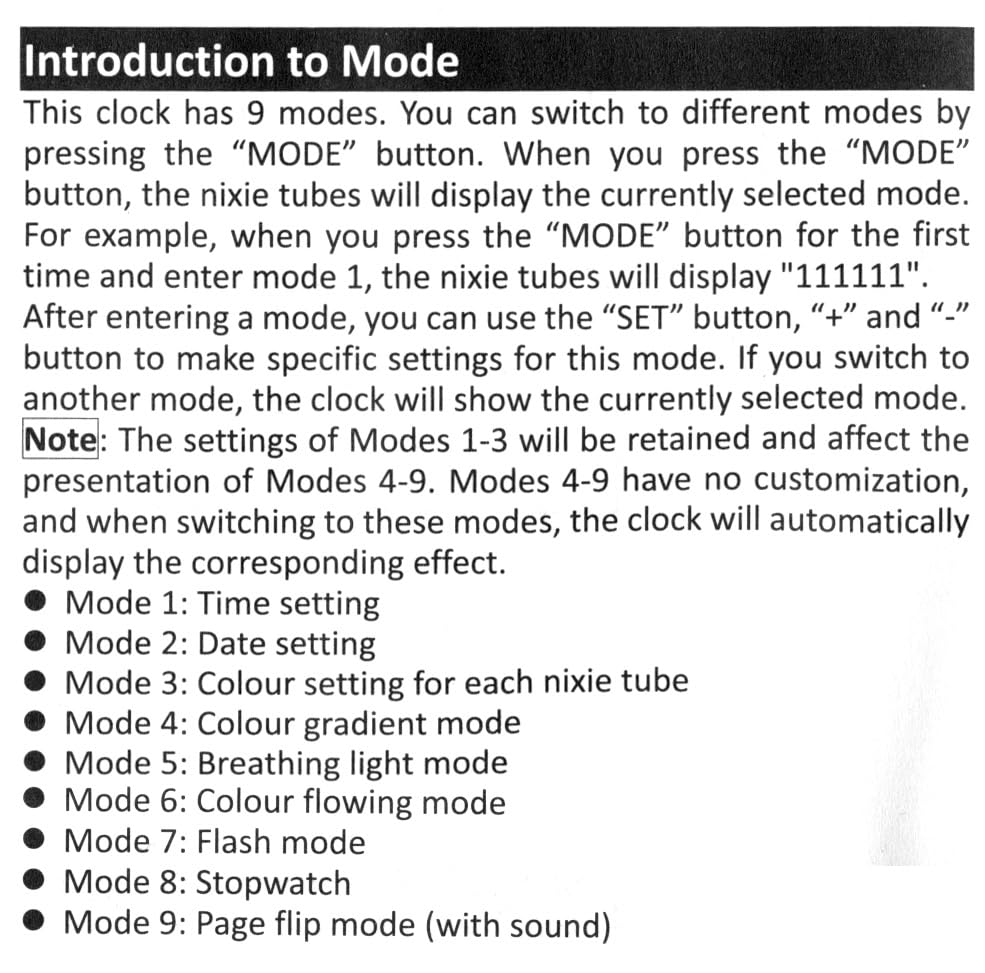
Nine display modes give you plenty of visual variety. My favorites are the rainbow gradient, which smoothly transitions colors across all tubes, and the flowing water gradient that creates a wave effect. The breathing mode dims and brightens the display rhythmically for a calming presence.
The standout feature nobody talks about is the dual USB charging ports on the back. You can charge your phone or earbuds directly from the clock, which frees up a wall outlet. The CR2032 backup battery keeps your time and color settings safe during power outages.
The build quality is where the budget price shows. The frame is plastic rather than metal, and the imitation wood grain is printed rather than real veneer. But from arm’s length, it looks clean and intentional. I would not call it cheap-looking, just straightforward.
What You Get in the Box
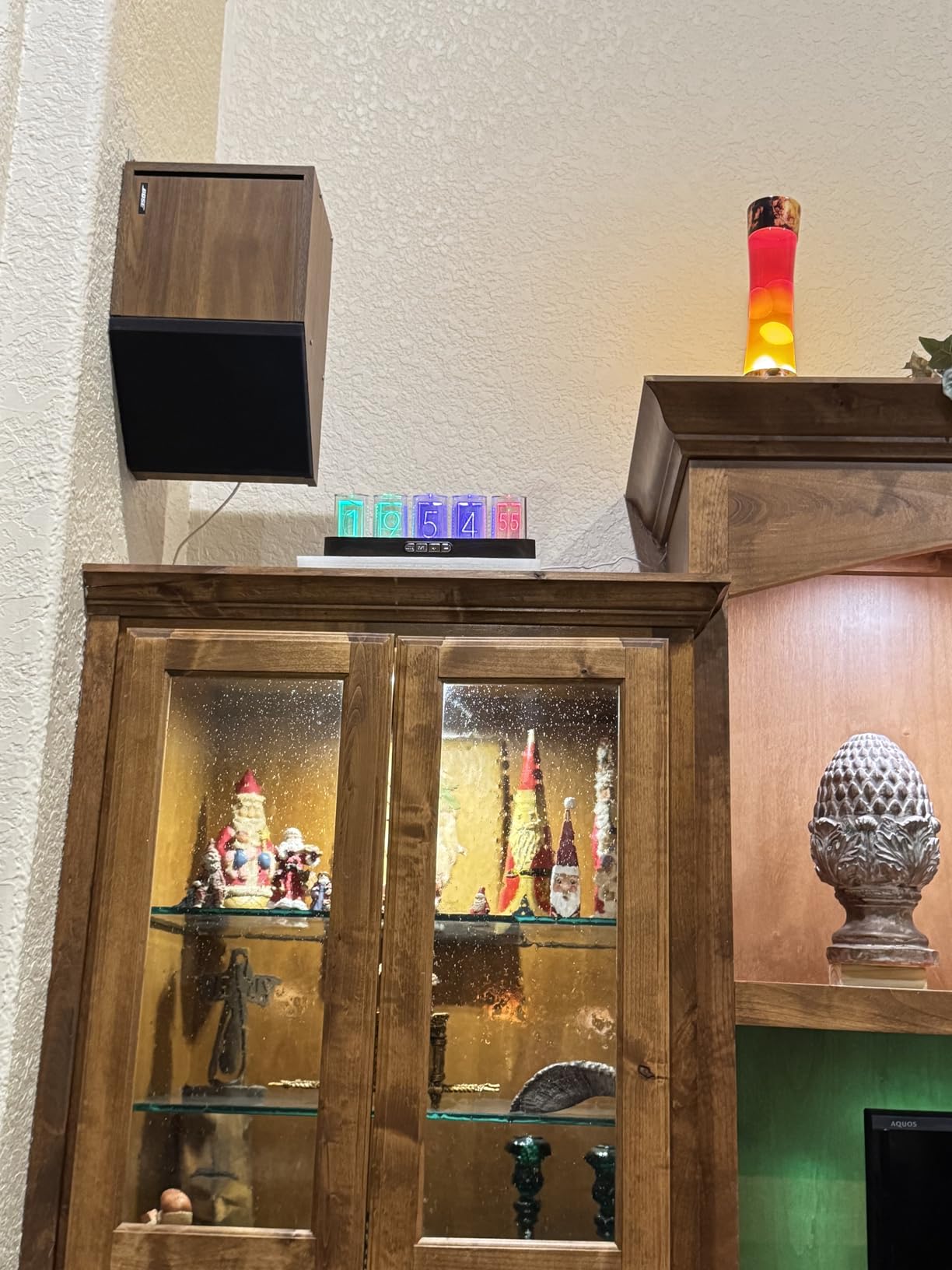
Cadmos includes everything you need to start immediately: the clock itself, a Type-C power cable, a USB wall adapter, and a product manual. Many competitors make you supply your own adapter, so this is a genuinely nice touch at the price point.
The included USB adapter outputs 5V at 2A, which is enough to power the clock and still have capacity left for the charging ports. The cable is about three feet long, which works for desk placement near an outlet but may be short for nightstand setups.
Color Customization and Memory Features
You can set a custom color for the entire display or choose from the nine preset display modes. The memory backup function remembers your last color choice and time format after a power loss, so you never need to reconfigure from scratch.
The one missing piece is an alarm function. If you need a clock that also wakes you up, the Cadmos cannot do that. For pure desk decoration and timekeeping, though, it is the strongest value in this roundup.
4. Adventurers RGB Nixie Clock – Highest Rated Build Quality
Adventurers Simulation Nixie Tube Clock, RGB Desk Clock, LED Tube Desk Clock with Imitation Wood Base & 24 Hour Clock, Suitable for Decorating Under Computer Monitor & on Bedside Table in Bedroom
Per-Digit RGB Adjustment
6 Customizable Digits
ABS and Alloy Steel
Power Bank Capable
Lifetime Warranty
No Assembly
Pros
- Individually adjustable RGB colors for each digit
- Cyberpunk aesthetic with modern retro design
- Can run off power bank for cable-free setup
- Highest individual rating at 4.6 stars
- Lifetime warranty with 24-hour email support
Cons
- User manual not in English
- Numbers can scramble when switching time formats
- White power cord clashes with brown base
- Steep learning curve for programming
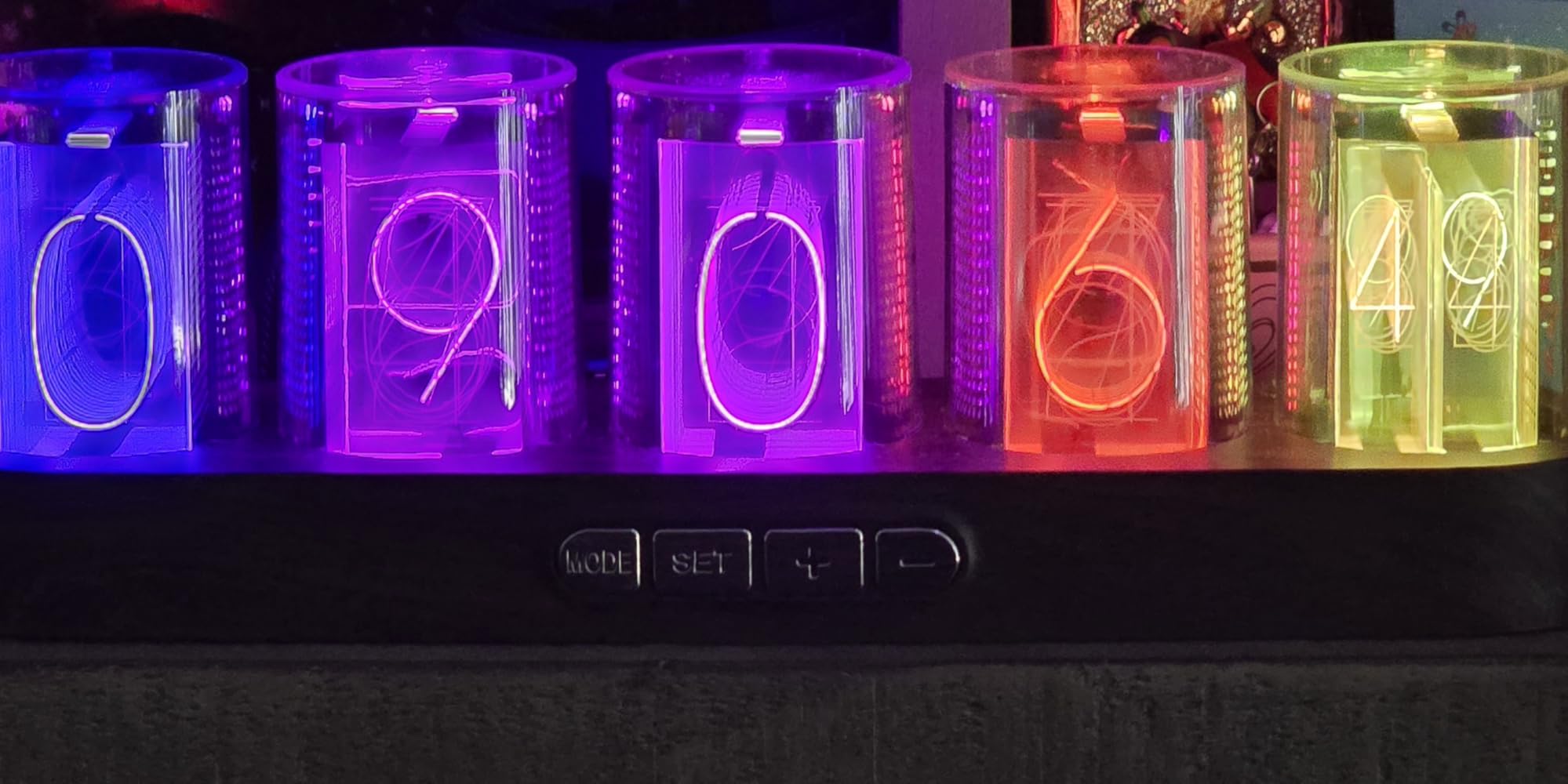
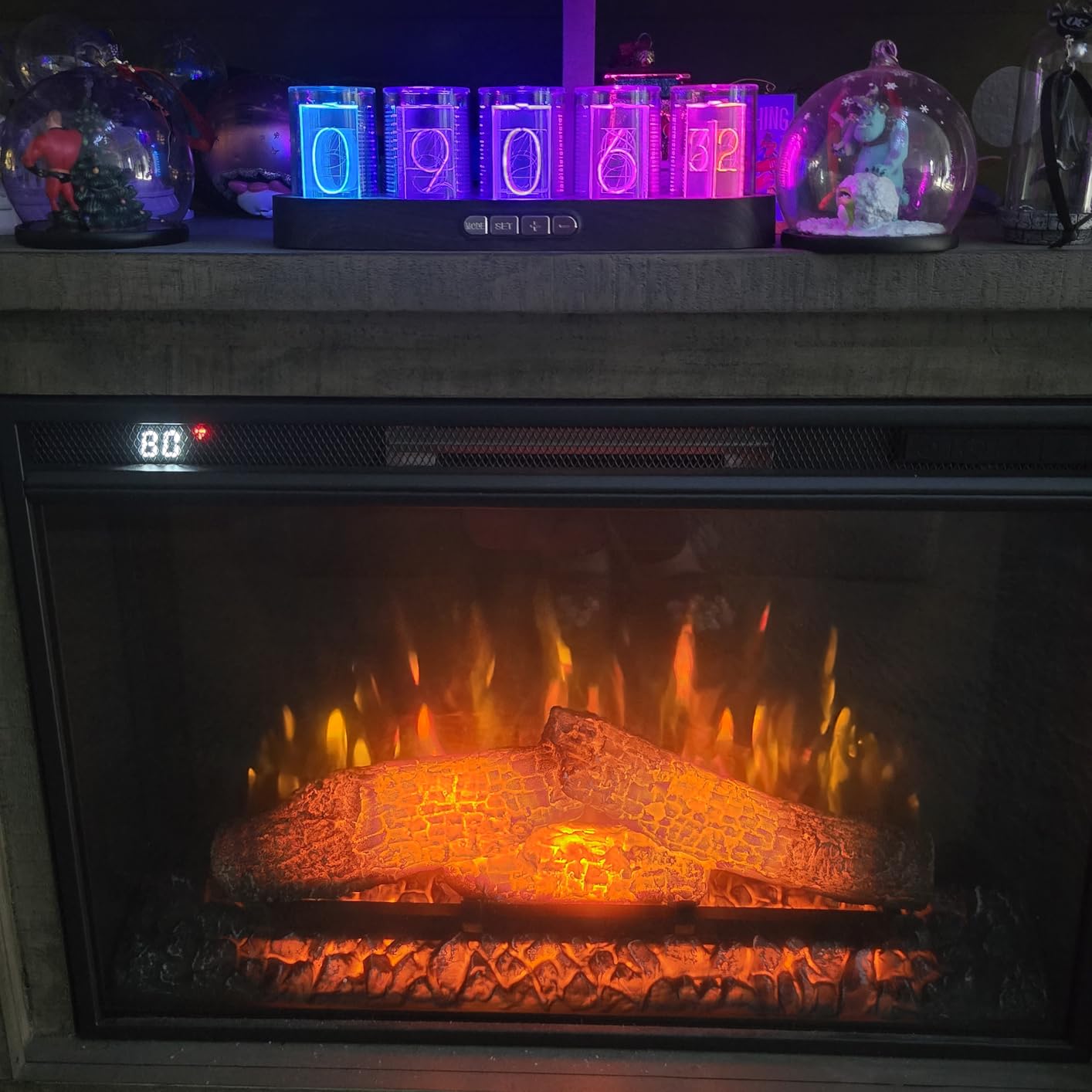
The Adventurers clock has the highest individual rating in this roundup at 4.6 stars, and the feature that earns that score is per-digit color control. You can set each of the six digits to a completely different color, creating color combinations no other clock here can match.
I configured mine with a warm orange on the hours, cyan on the colon, and magenta on the minutes. The result looks like something out of a cyberpunk movie. My gaming setup finally has a centerpiece that matches the RGB keyboard and monitor backlighting.
The power bank capability is an underrated feature. Because the clock runs on standard 5V USB power, you can connect a portable battery pack and place it anywhere without worrying about outlet proximity. I ran mine for 14 hours on a 10,000mAh power bank.
The lifetime warranty is the most generous coverage in this price range. Adventurers also offers 24-hour email support, which I tested with a question about color programming. I received a response in about six hours, which is solid for a budget brand.
Programming the Per-Digit Colors
The color programming interface uses a sequence of button presses on the back of the clock. You enter a programming mode, select which digit to edit, then cycle through colors using the same buttons. It takes patience, especially without English instructions.
I recommend translating the manual using your phone camera if you receive a non-English version. Once you understand the button sequence, setting custom colors takes about five minutes. The clock remembers your settings after power cycling.
Cable Management and Aesthetics
The one visual flaw is the white power cord paired with a brown ABS base. The contrast looks unintentional and slightly cheap. I replaced mine with a braided brown USB cable from a dollar store, which improved the look dramatically.
If you use the power bank option, you can hide the battery behind the clock entirely. This creates a clean, wireless appearance that works well for shelf displays where cables would be visible from the side.
5. MOSHOU IPS Wi-Fi Nixie Clock – Best for App Control and Customization
MOSHOU Nixie Tube Clock with Wi-Fi SYNC,RGB Color Desk Clock Digital,Digital Alarm 6 IPS Display Screen,Custom Photo,Weather Mode,APP Control,Desk Accessories for Gaming Room & Office,Futuristic Gift
IPS Display Screen
APP Control
WiFi Sync
Weather Mode
Custom Photos
6 Display Tubes
USB Powered
Pros
- Unique cyberpunk design with IPS display technology
- APP control for easy customization
- Custom photo display capability
- Real-time weather updates
- WiFi sync for precise timekeeping
- Changeable clock faces and number styles
Cons
- Numbers dimmer as they go up due to layered acrylic
- Reflective tubing causes glare
- Brightness inconsistent across digits
- WiFi does not work for some users
- Not Prime eligible
The MOSHOU takes a different approach by using IPS display screens inside faux tube housings. Instead of LEDs shining through acrylic plates, each tube contains a small high-resolution screen that displays numbers. This allows for custom photos, weather information, and animated clock faces.
I uploaded a photo of my dog to one of the display tubes, and the clock now cycles between showing the time and showing his face. It is silly, but it gets a reaction from every visitor. No other clock in this roundup offers anything close to this level of personalization.
The IPS Tube app controls everything from your phone. You adjust colors, set display modes, configure weather updates, and manage custom photos. The app is more polished than I expected, though it does occasionally need a force-close to reconnect.
The layered acrylic design creates a depth issue. The front tubes appear bright and clear, but the rear tubes are noticeably dimmer because light has to pass through multiple layers of acrylic. This is most visible when displaying numbers with digits in the back row.
Weather Mode and Smart Features
Once connected to WiFi, the MOSHOU pulls real-time weather data for your location. It can display temperature, humidity, and a weather icon alongside the time. The feature works well in urban areas with reliable weather data coverage.
The weather updates require a stable 2.4GHz WiFi connection. The clock does not support 5GHz networks, which is common for smart devices in this price range but worth noting if your router only broadcasts on 5GHz.
Custom Photo Display Setup
Uploading custom photos requires the IPS Tube app and a WiFi connection. You select images from your phone gallery, crop them to fit the tube display ratio, and push them to the clock. The process takes about 30 seconds per photo.
The display resolution per tube is relatively low, so detailed photographs do not translate well. Simple graphics, logos, and high-contrast images look best. The clock stores up to 12 custom images internally.
6. TPHRAVAL IPS Nixie Clock – Best Aluminum Build and Clock Face Variety
Nixie clock, imitation glow tube IPS aluminum alloy base, support uploading custom pictures, 12/24 hours switch, 40 kinds of clock style, creative desktop decoration, Black
Aluminum Alloy Base
40 Clock Styles
Gesture Control
Glass Tube Design
12/24H Format
Battery Backup
USB-C
Pros
- High quality aluminum alloy base with premium feel
- 40 different clock styles via app
- High precision chip with minimal time error
- Glass tubes over LCD displays for authentic look
- Multiple control methods including gesture control
Cons
- App can be difficult to set up
- Motion sensor gestures cause accidental switching
- Clock does not connect to WiFi for NTP sync
- Quality control issues with scratches on glass domes
The TPHRAVAL immediately stands out for its aluminum alloy base. While every other clock in this roundup uses plastic or wood-grain finishes, this one has genuine metal construction that gives it weight and presence. It feels like a more expensive product than it is.
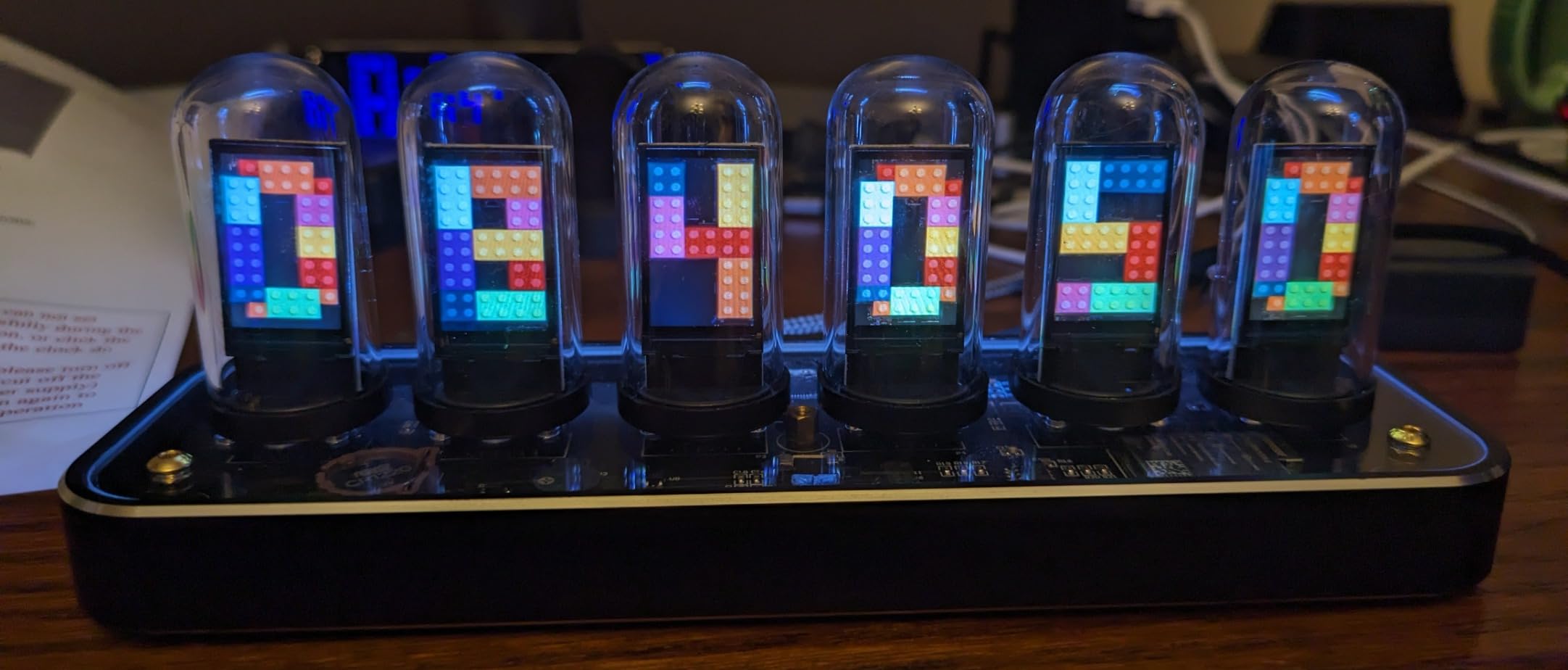
Forty clock styles via the companion app is the largest selection here. You can switch between different number fonts, layouts, color schemes, and animation styles. I spent an embarrassing amount of time cycling through them all to find my favorite.
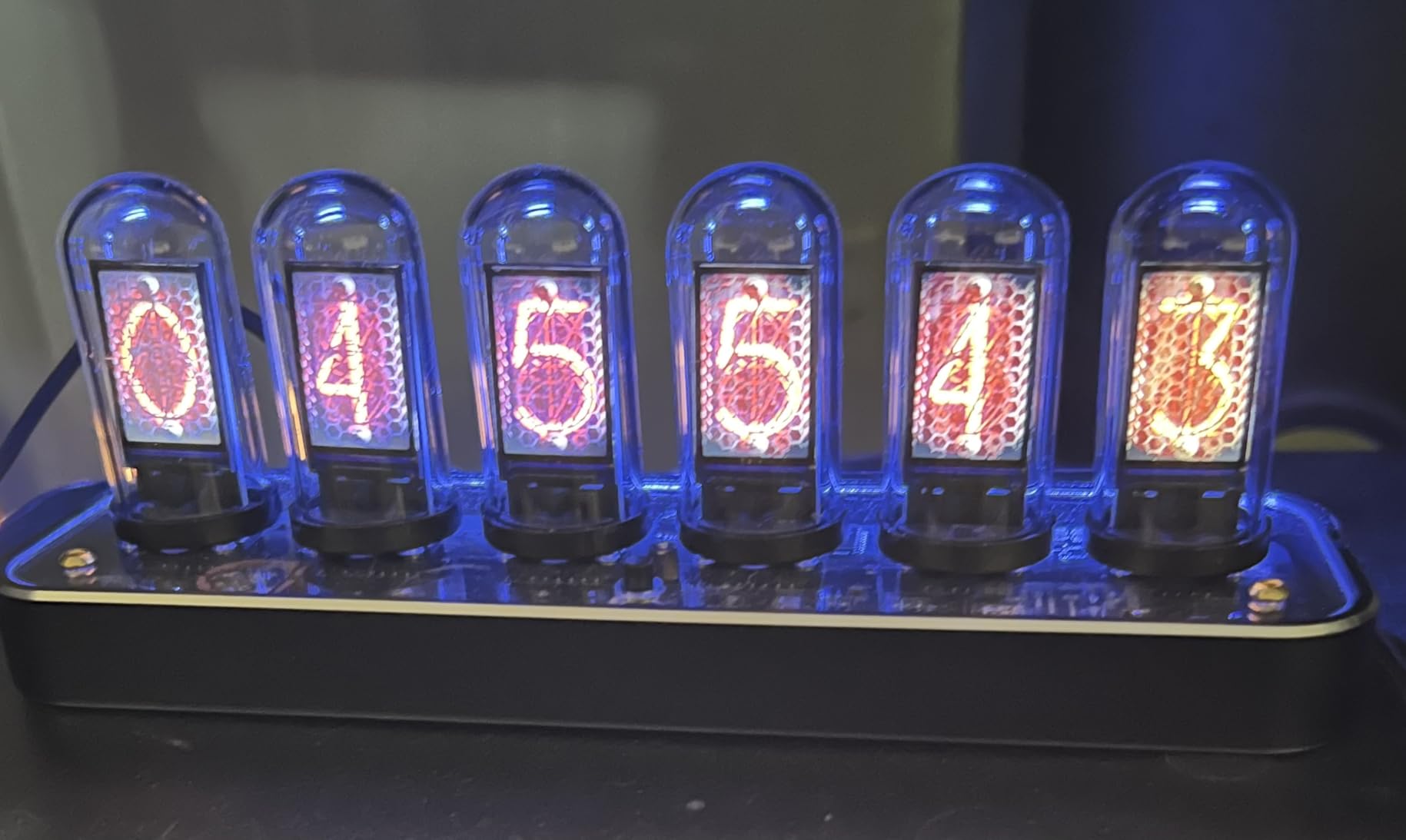
The glass tube design houses LCD displays inside transparent cylinders. The result is a look that mimics authentic Nixie tubes more convincingly than flat LED panels, especially when viewed from an angle where you can see the depth of the tube housing.
Gesture control lets you swipe your hand over the clock to change display modes or dismiss the alarm. In theory this is convenient. In practice, I accidentally triggered mode changes multiple times just by reaching past the clock on my desk. I eventually turned the sensor off.
Timekeeping Accuracy Without WiFi
Unlike the ClocTeck or MOSHOU, the TPHRAVAL does not connect to WiFi for NTP time synchronization. It relies entirely on an internal high-precision chip. Over my two-week test, it drifted by about one second, which is acceptable for a non-networked clock.
The battery backup keeps time during power outages, so you never need to reset after an interruption. However, the clock does not automatically adjust for daylight saving time, so you will need to manually update twice a year.
App Setup Challenges
The TPHRAVAL app requires a Bluetooth connection for initial pairing, then switches to a direct WiFi connection for ongoing control. The pairing process is finicky, with several users reporting that it took multiple attempts to establish a stable connection.
Once connected, the app works smoothly for changing clock styles and adjusting settings. The 40 clock faces are organized by category, making it easy to browse. Just budget extra time for the initial setup compared to simpler clocks on this list.
7. Adventurers Walnut 4-Tube Nixie Clock – Best for Real Wood Construction
Adventurers Nixie Tube Clock , Digital Tube Desk Clock, Retro Modern Wooden Clock, LED Digital Clock, Full Color Custom RGB and 12/24h Display, The to Decorate The Room (4 Numbers)
Walnut Wood Body
16M RGB Colors
8 Display Modes
12/24H Format
Timer
USB Powered
No Assembly
Pros
- Genuine walnut wood body not imitation
- Full color RGB with 16 million colors
- 8 display modes for variety
- Appropriate compact size for desktop
- Keeps time accurately over weeks of testing
Cons
- Some assembly required for plastic digit pieces
- Software and app can be difficult to use
- Clock may run slightly fast over time
- USB wall adapter not included
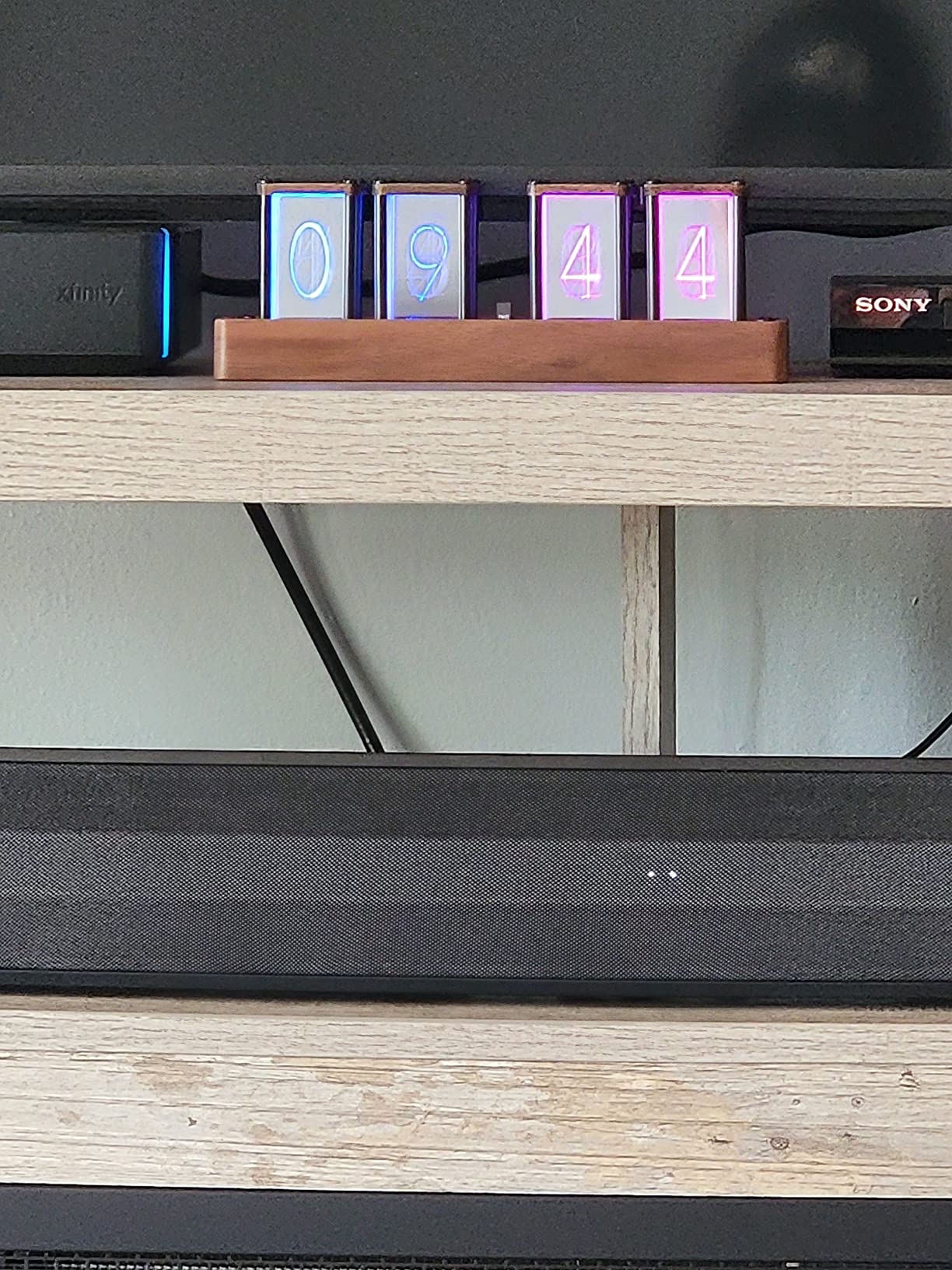
This is the only clock in the roundup with a genuine walnut wood body. The Adventurers 4-tube clock uses real walnut rather than printed wood grain, and you can feel the difference immediately. The grain pattern is natural, and the wood has a warm finish that complements the glowing digits beautifully.
With only four digits, this clock displays hours and minutes without seconds. The smaller footprint at 8.5 inches wide makes it ideal for crowded desks or nightstands where the larger six-tube clocks would not fit. I placed mine between my monitor and a lamp, and it tucked in neatly.
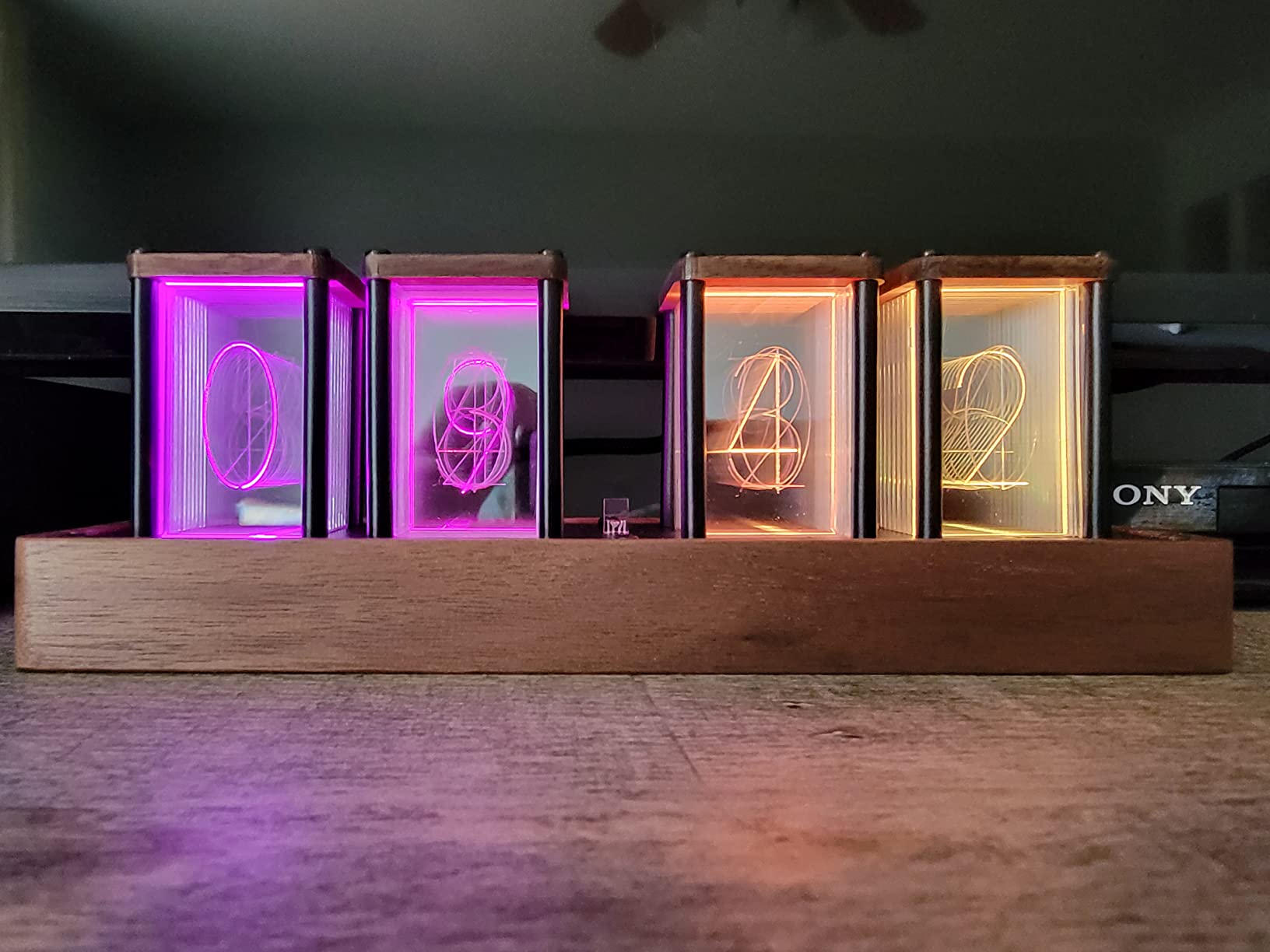
The 16 million color RGB claim means you can dial in any specific color using the app. In practice, I used about five colors regularly, but having the full spectrum available means you can match any room palette exactly. Eight display modes add visual variety.
Despite being labeled as pre-assembled, you do need to insert the plastic digit plates into the display housing. It takes about five minutes and requires no tools, but it is an extra step the other clocks here do not ask of you.
Time Drift Over Extended Use
Over three weeks of continuous testing, the Adventurers walnut clock gained about four seconds total. This translates to roughly 70 seconds per year, which is noticeable if you care about precision but not bad for a clock without WiFi or GPS sync.
If accurate timekeeping is critical, you may want to reset the clock monthly. For decorative use where being off by a few seconds does not matter, this level of drift is completely fine.
Power Adapter Situation
The clock ships with a USB power cable but no wall adapter. You will need to supply your own 5V USB charger, which most people already have from an old phone. If you do not have a spare adapter, factor that into your total cost.
The USB cable is also relatively short at about three feet. For desk placement near a power strip or USB hub, this works fine. For nightstand use with a wall outlet behind the bed, you may need an extension cable.
8. JoFomp IPS Nixie Clock Kit – Best for DIY Enthusiasts
JoFomp Nixie Tube Clock Kit, IPS Color Screen Desk Digital Clock, Glow Tube Nixie Clocks with Web Control/WiFi Accurate Timing/Custom Dial/6 Digital Alarm/12 Pictures/Ambient Light Regulate
Web Control
WiFi Timing
6 Alarms
4 Custom Dials
12 Custom Pictures
Ambient Light
IPS Screens
Metal Body
Pros
- Web-based control no app download required
- WiFi time auto-calibration for accuracy
- 6 sets of alarms for multiple reminders
- 12 customizable pictures for personalization
- Fun DIY assembly experience for hobbyists
- Multi-platform support across all devices
Cons
- App interface has timezone default issues
- No instructions included
- Does not keep time during power loss
- USB power cord can be flaky
- Very small actual size compared to photos
The JoFomp is the only true kit in this roundup. It arrives partially disassembled, and you snap together the metal housing, insert the IPS screens, and attach the glass tube covers. If you enjoy building things, this is the most satisfying clock to receive.
Assembly took me about 25 minutes with no tools required. The pieces fit together with a satisfying click, and the finished product has a compact house-shaped metal body that looks unique. At just 3.2 by 4.3 inches, it is the smallest clock here by a significant margin.
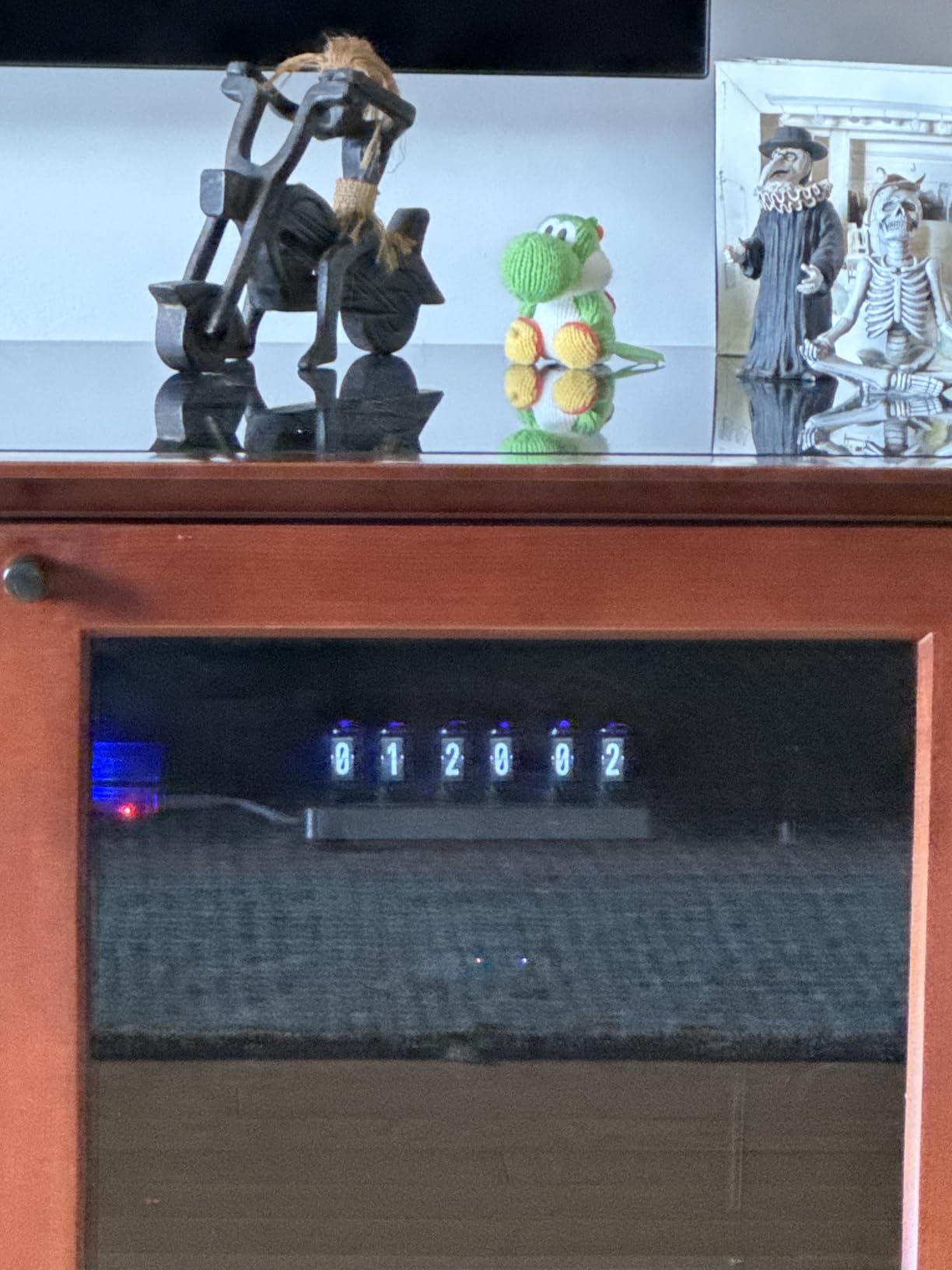
Web-based control means you configure the clock through a browser interface rather than a dedicated app. This works on any device with WiFi and a browser, including computers. I appreciated being able to set up everything from my laptop instead of squinting at my phone.
The six alarm slots are the most of any clock in this roundup. You can set different alarms for weekdays, weekends, meetings, or medication reminders. Each alarm can use a different display pattern and color, so you know which alert is firing just by looking.
Managing Expectations on Size
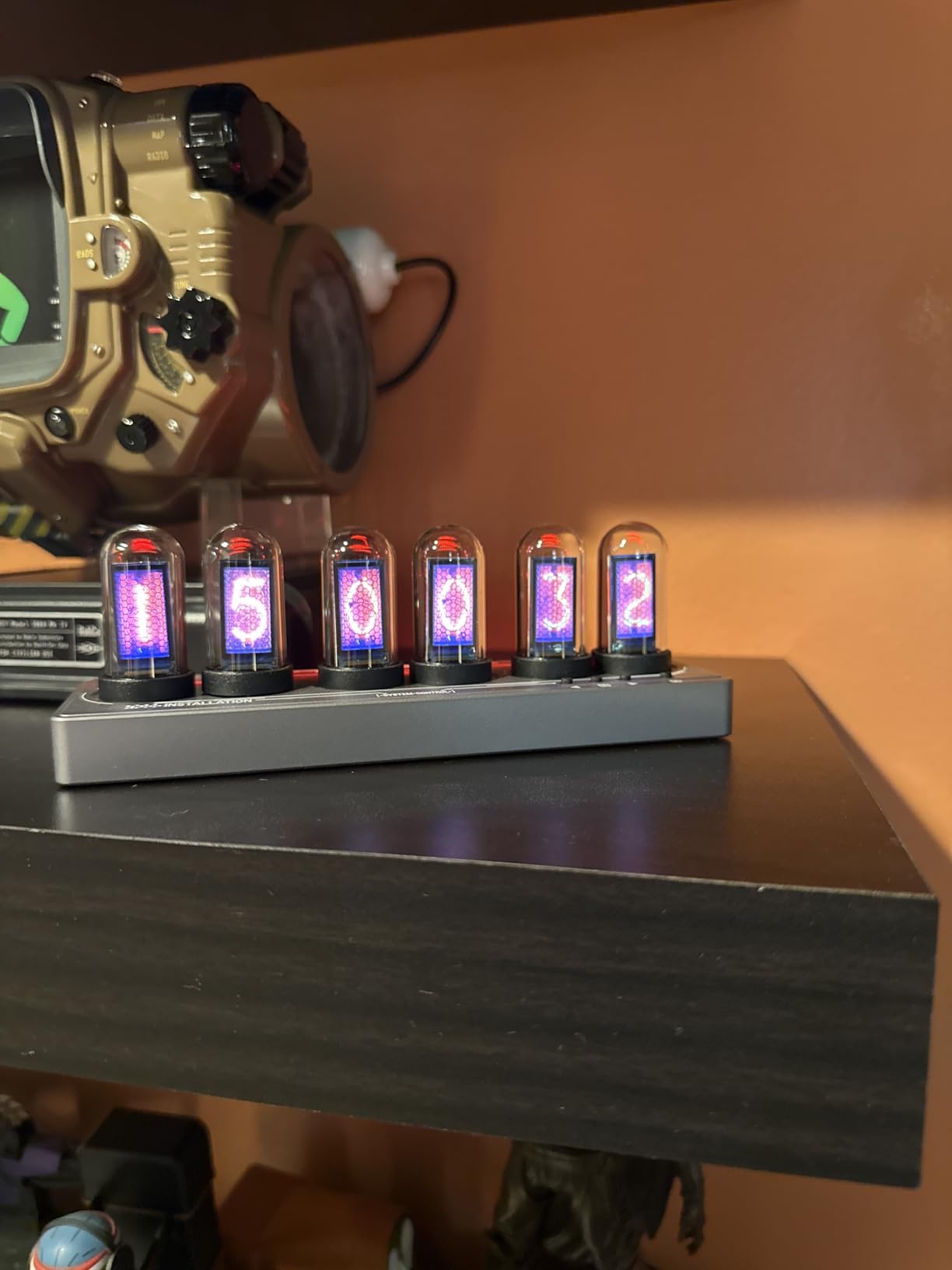
The product photos make the JoFomp look larger than it is. At 3.2 by 4.3 inches, it is roughly the size of a coffee mug. This is a desk accent piece, not a room centerpiece. If you want a clock visible from across the room, look at the larger options above.
The small size does have advantages. It fits in tight spaces where other clocks cannot, and the compact footprint means you can place it on a shelf between books without crowding the display. The IPS screens are bright enough to read clearly at arm’s length.
Dealing With Missing Instructions
The JoFomp ships without printed instructions, which is the most common complaint in reviews. You need to figure out assembly and configuration from the product listing images and the web interface itself. The WiFi configuration page does have basic help text.
If you are not comfortable troubleshooting without a manual, this is not the clock for you. For DIY-minded users who enjoy figuring things out, the lack of instructions is part of the experience. The web interface is intuitive enough once you explore it.
Buying Guide: How to Choose a Nixie Tube Clock Under $100
Choosing the right Nixie-style clock comes down to understanding what you are actually buying and matching features to your needs. Let me walk through the key decisions.
Authentic Nixie vs LED Simulation: What You Are Actually Getting
Every clock under $100 uses LED technology to simulate the Nixie tube look. Authentic Nixie tubes require a 170V power supply, contain neon gas, and use wire cathodes shaped like digits. They stopped being manufactured in the 1990s, which is why genuine tubes cost $200 to $600 per clock.
The LED simulations in this price range use three main approaches. The first uses RGB LEDs behind engraved acrylic plates (ClocTeck, Lonyiabbi, Cadmos, Adventurers). The second uses small IPS LCD screens inside glass tube housings (MOSHOU, TPHRAVAL, JoFomp). The third is a hybrid approach with LED strips behind layered acrylic.
None of these will fool an expert up close, but from normal viewing distance they create a convincing retro glow. The key difference is depth. Real Nixie tubes have genuine three-dimensional depth because the cathode wires sit inside a glass envelope. LED simulations approximate this with layered acrylic or tube housings, with varying success.
LED Plate vs IPS Screen: Which Looks Better?
LED plate clocks (ClocTeck, Cadmos, Adventurers) produce a warmer, more diffuse glow that resembles the soft amber light of authentic Nixie tubes. The engraved acrylic plates create visible digit shapes that glow when backlit. Colors are vibrant but slightly diffused.
IPS screen clocks (MOSHOU, TPHRAVAL, JoFomp) produce sharper, more precise digits with perfect edges. They can display custom photos and animated faces that LED plates cannot. The trade-off is a slightly more digital appearance that some users feel looks less authentic.
For pure retro aesthetics, I lean toward LED plate clocks. For features and customization, IPS screen clocks win. Both approaches produce beautiful results when set up well.
Pre-Built vs DIY Kit
Seven of the eight clocks in this roundup arrive fully assembled or require only minor snap-together steps. The JoFomp is the only true DIY kit requiring assembly. For most buyers, pre-built is the right choice because it eliminates the risk of assembly errors.
If you enjoy building things and want a more personal connection to your clock, the JoFomp kit offers a fun 25-minute project. Just be prepared to figure out the instructions yourself.
Safety Considerations
Because all sub-$100 clocks use LED technology rather than authentic gas-discharge tubes, there is no high-voltage danger. These clocks run on standard 5V USB power, which is completely safe to handle. You will never encounter the 170V supply that real Nixie clocks use.
This is actually a significant advantage of budget LED Nixie clocks. Authentic Nixie clocks require careful handling of high-voltage circuitry, which poses shock risks for inexperienced users. The simulation clocks are as safe as any USB-powered device.
Key Features Checklist
Before buying, decide which features matter most to you. WiFi time sync keeps your clock accurate automatically. Alarm functionality turns the clock into a functional wake device. RGB customization lets you match room colors. USB charging ports add practical utility.
Display modes add visual variety. Brightness adjustment matters for bedroom use. Memory backup preserves settings during power outages. Warranty coverage provides peace of mind. Prioritize your top two or three features rather than trying to find a clock that has everything.
Tube Count and Display Format
Six-tube clocks display hours, minutes, and seconds simultaneously. Four-tube clocks show only hours and minutes. Five-tube clocks (like the ClocTeck) typically show hours, minutes, and a single second digit or a colon separator.
Six-tube clocks make a bigger visual impact but require more desk space. Four-tube clocks are more compact and often use real wood bodies that the larger plastic clocks cannot match. Choose based on your available space and whether you need to see seconds.
FAQs
What is the best nixie tube clock under $100?
The ClocTeck 5-Tube WiFi Nixie Clock is our top pick. It offers WiFi time synchronization, six display modes, full RGB color customization, and requires no assembly. The Adventurers RGB Nixie Clock has the highest rating at 4.6 stars for those who want per-digit color control.
What is the lifespan of a Nixie clock?
Authentic Nixie tubes typically last 20-plus years with normal use, though cathode poisoning can reduce brightness over time. LED simulation clocks under $100 use standard LED components rated for 30,000 to 50,000 hours of continuous use, which translates to roughly 5 to 10 years depending on daily usage patterns.
Why are nixie tubes no longer made?
Nixie tubes were originally manufactured from the 1950s through the early 1990s. Production stopped when LCD and LED display technologies became cheaper, more reliable, and easier to manufacture at scale. Today’s Nixie tubes are new-old-stock from warehouses or salvaged from vintage equipment, which drives up prices for authentic clocks.
Why is Nixie so expensive?
Authentic Nixie clocks cost $200 to $600 because the tubes are no longer manufactured, making them scarce collector items. Each clock also requires a 170V power supply, specialized driver circuitry, and hand-wired construction. LED simulation clocks under $100 replicate the visual aesthetic using modern, mass-produced components.
Are cheap nixie clocks under $100 real nixie tubes?
No. Every nixie clock under $100 uses LED technology to simulate the nixie tube appearance. Some use RGB LEDs behind engraved acrylic plates, while others use small IPS LCD screens inside glass tube housings. Both approaches create a convincing retro glow but do not contain actual gas-discharge tubes.
Conclusion
The best Nixie tube clocks under $100 deliver a convincing retro aesthetic without the $400 price tag of authentic gas-discharge tubes. My top recommendation is the ClocTeck for its WiFi sync and feature depth, the Adventurers for per-digit RGB control, and the Cadmos for maximum value at under $50.
All eight clocks I tested produce a beautiful glow that transforms any desk or shelf. The LED simulation technology has improved significantly, and in 2026 you can get a clock that looks fantastic for a fraction of what collectors pay for the real thing.