
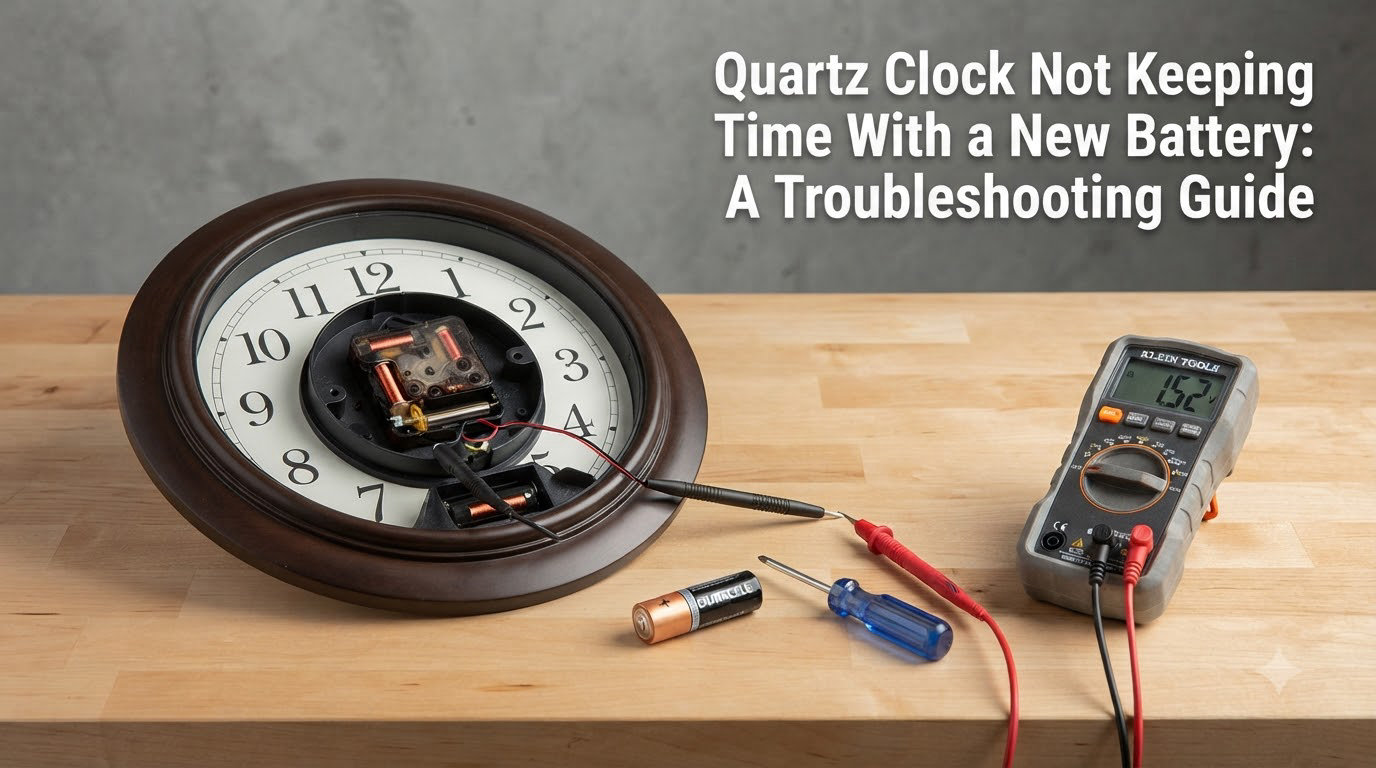
There is nothing more frustrating than installing a fresh battery in your wall clock and watching it lose time, stall, or stop completely a few hours later. You did everything right. The battery is new, the clock ticked back to life, and yet it is already drifting or grinding to a halt. If you are dealing with a quartz clock not keeping time with new battery, the problem almost never comes down to the battery alone.
When a quartz clock loses time despite a fresh power source, the real culprits are usually corroded battery contacts, a failing stepper motor, dragging clock hands, or environmental factors like cold temperatures and humidity. The battery delivers power, but a weak connection, a worn movement, or mechanical friction can still starve the clock of the energy it needs to tick accurately.
I have torn apart, cleaned, and replaced dozens of quartz movements over the years, from cheap kitchen clocks to mantel pieces that had been running for decades. Along the way, I learned that most timing problems follow predictable patterns. Once you understand how a quartz movement works, you can usually pinpoint the cause in under ten minutes.
This guide walks you through every common reason a quartz clock stops keeping time, even with a brand-new battery. You will find a step-by-step troubleshooting checklist, real fixes from clock repair forums, and clear guidance on when cleaning will save the clock versus when it is time to replace the movement entirely.
Table of Contents
How a Quartz Clock Actually Keeps Time
A quartz clock keeps time by counting the vibrations of a tiny quartz crystal, not by the battery directly. When voltage from the battery reaches the crystal, it oscillates at a precise frequency of 32,768 times per second. This is the piezoelectric effect, and it is the reason quartz clocks are normally far more accurate than mechanical clocks.
A small integrated circuit divides those 32,768 vibrations down to one electrical pulse per second. That pulse drives a stepper motor, which is a tiny electromagnetic motor that advances the gear train one step at a time. Each step moves the second hand forward in that familiar ticking motion.
Understanding this chain matters for troubleshooting. The battery powers the crystal, the crystal generates the timing signal, and the stepper motor converts that signal into physical movement. If any single link in that chain weakens, the clock loses time or stops, regardless of how fresh the battery is.
Quartz Clock Not Keeping Time With New Battery: Top Causes
A quartz clock not keeping time with new battery typically fails because of one of these reasons. Here are the most common culprits, ranked roughly by how often I see them:
Dirty or corroded battery contacts – Invisible oxide or green corrosion blocks current from reaching the movement.
Weak or low-voltage new battery – Even fresh batteries can be underpowered, old from the shelf, or the wrong chemistry.
Failing stepper motor – The electromagnet weakens over years of use and can no longer reliably advance the gears.
Dragging or misaligned hands – Hands touching each other or rubbing the dial create friction the motor cannot overcome.
Dust and gummed lubricant in the movement – Debris and dried oil increase resistance in the gear train.
Wall mounting angle – Gravity working against a weak motor causes the clock to stall when hung vertically.
Temperature and humidity extremes – Cold slows the quartz crystal; heat and moisture damage the circuit.
Capacitor or crystal aging – In older movements, electronic components drift and cause gradual time loss.
The good news is that most of these problems are either fixable or signal that a low-cost movement replacement will solve everything. Let us look at each cause in detail.
Battery and Power Issues, Even With a Fresh Battery
The battery is the first thing everyone checks, and rightfully so, but a brand-new battery is not always a good battery. I have pulled fresh cells straight from the package that read low on a multimeter. Batteries lose charge on the shelf, and discount or counterfeit brands are notorious for underperforming.
Most quartz wall clocks run on a single AA or AAA 1.5-volt alkaline battery. The movement needs a steady voltage to keep the quartz crystal oscillating and the stepper motor stepping. Once voltage drops below roughly 1.3 volts, the clock may still tick but lose time, run slow, or stop intermittently before dying completely.
A few things to watch for with the power supply. First, check the expiration date on the battery package, because alkaline cells degrade even when unused. Second, avoid mixing a new battery with an old one if your clock uses two cells. Third, consider that some movements are picky about battery chemistry and run best on standard alkaline rather than lithium or rechargeable cells, which can output slightly different voltages.
If you suspect the battery, the fastest test is to swap in a high-quality brand-name alkaline from a fresh pack and watch the clock for a full 24 hours. A cheap multimeter across the battery terminals will also tell you instantly whether the cell is delivering its rated 1.5 volts under load.
Dirty or Corroded Battery Contacts
Corroded or dirty battery contacts are the single most common cause of a quartz clock losing time, and the fix is free. The metal tabs inside the battery compartment develop an invisible oxide layer or visible green and white corrosion over time. That layer acts as an insulator, restricting the current that reaches the movement.
The clock may tick weakly, run slow, or stop and restart because it is essentially running on a fraction of the battery’s power. I have seen clocks written off as broken come back to life after nothing more than a thorough contact cleaning.
To clean the contacts, remove the battery and inspect the positive and negative terminals. Look for white crust, green buildup, or dull, discolored metal. Scrub the contacts with a cotton swab dipped in white vinegar to neutralize alkaline corrosion, then wipe with rubbing alcohol on a fresh swab. For stubborn buildup, a small piece of fine-grit sandpaper or a pencil eraser will shine the metal back to a bright finish.
Failing Stepper Motor
The stepper motor is the small electromagnetic component that converts the crystal’s timing pulses into the physical motion of the hands. Over years of continuous use, the motor coil can weaken, the tiny magnet can lose strength, and the internal components can wear down. When this happens, the motor produces less torque and struggles to push the gear train.
A failing stepper motor reveals itself in a few recognizable ways. You might hear the clock ticking but notice the second hand is not actually advancing with every tick. The clock may run for hours and then mysteriously stop, only to restart if you give it a tap. Sometimes the second hand gets stuck at the same spot every minute, usually where the gear train meets the most resistance, such as the 45-to-55-second region.
This intermittent behavior is the hallmark of a motor that can no longer deliver consistent torque. The clock works when resistance is low but stalls when the gear train needs a stronger push, like when lifting the minute hand past the top of the hour.
Unfortunately, a failing stepper motor inside a sealed movement is rarely repairable at home. The motor and integrated circuit are potted together in a single unit. When the motor is the problem, replacing the entire movement is the practical and affordable solution, often costing less than a single battery multipack.
Dust, Debris, and Gummed-Up Lubricant in the Movement
Quartz movements are not hermetically sealed, and over years of service, fine dust works its way inside through vents and gaps around the hand shafts. That dust mixes with any residual lubricant on the gear train and forms a sticky grime that increases friction throughout the mechanism.
The stepper motor is designed to overcome a specific amount of resistance. When gear teeth are coated in grime, the motor has to work harder to advance each step. Eventually the added drag exceeds what the motor can deliver, and the clock loses time or stalls.
This is one reason some inexpensive clocks run flawlessly for twenty years while seemingly better clocks fail early. A sealed, dry, dust-free movement with no lubricant to gum up will often outlast a movement that was lightly oiled at the factory and then collected dust. Cleaning the inside of a movement is difficult because the gears are delicate and tiny, so most repairers simply replace the movement when contamination is the issue.
Loose, Bent, or Dragging Hands
Clock hands are surprisingly delicate, and even a slight bend creates enough friction to stall the movement. If the minute hand droops and touches the hour hand, or if the second hand rubs against the dial face or glass, the stepper motor cannot overcome the added drag and the clock loses time or stops.
This problem often appears right after a clock has been moved, cleaned, or had its battery changed. A bump can shift a hand slightly out of alignment. The symptom is distinctive: the clock stops at the same point on the dial, typically where two hands overlap near the 12, or the second hand catches repeatedly at a specific spot.
To check for hand interference, remove the clock from the wall and watch the hands cycle through a full hour while the clock lies flat. Gently press the second hand toward or away from the dial to see if it frees up. If hands are touching, you can carefully bend them apart with your fingers, supporting the hand near the center hub to avoid snapping it off at the shaft.
Wall Mounting Position and the Stopping Mystery
One of the most confounding and widely reported issues is the clock that runs perfectly on a table but stops the moment you hang it on the wall. This is a real phenomenon discussed extensively on clock repair forums, and it comes down to gravity working against a marginal stepper motor.
When a clock lies flat, gravity pulls the hands and gear train downward evenly, and the motor meets consistent, predictable resistance. When the clock is hung vertically, gravity pulls the hands and gears in a different direction, and at certain points in the rotation, the motor must lift the weight of the hands against gravity. A healthy motor handles this easily, but a motor that is already weak from age or low voltage will stall at those high-resistance points.
I have seen this exact scenario play out repeatedly. One clever fix that forum users swear by is placing small sticky foam pads behind the clock at the bottom, tilting it back slightly so it leans into the wall rather than hanging plumb. That tiny angle change reduces the gravitational load on the hands and can keep a marginal movement ticking.
If the foam pad trick brings your clock back to life, you have confirmed that the motor is on its way out. The clock may run for months longer this way, but a movement replacement will give you a permanent fix and restore full torque.
Environmental Factors: Temperature, Humidity, and Sunlight
Quartz crystals are temperature-sensitive, and extreme conditions affect their oscillation frequency. A quartz clock is at its most accurate in a stable, moderate environment, typically between 50 and 90 degrees Fahrenheit. Outside that range, accuracy suffers.
Cold is the more common culprit for time loss. In unheated garages, porches, or drafty rooms during winter, the quartz crystal can slow slightly, causing the clock to lose a few seconds to a few minutes per day. The effect is small but noticeable over weeks. Extreme cold can also reduce battery output, compounding the problem.
Heat and direct sunlight cause different issues. A clock mounted in a sunny window or above a stove experiences temperature swings that stress both the crystal and the battery. Sustained heat can degrade the battery prematurely and, in severe cases, damage the integrated circuit inside the movement. Humidity and condensation, common in kitchens and bathrooms, promote corrosion on the battery contacts and inside the movement itself.
If your clock lives in a challenging environment, consider relocating it to a more stable spot, or accept that timing drift and shorter battery life come with the territory. For kitchen clocks in particular, heat and cooking grease are silent killers of quartz movements.
Capacitor Degradation and Aging Quartz Crystals in Older Clocks
In movements that have run for many years, the electronic components themselves age. A small trimming capacitor inside the circuit fine-tunes the crystal’s frequency to keep the clock accurate. Over time, that capacitor can drift in value, causing the clock to run consistently fast or slow in a way no amount of battery changing will fix.
The quartz crystal itself also ages, though very slowly. Physical stress, contamination, and temperature cycling over decades can shift its resonant frequency slightly. The result is a clock that runs a few minutes off per week, month after month, with no other obvious defect.
This is why some older clocks develop a permanent accuracy drift even when the battery, contacts, and motor are all fine. The movement is simply old, and its internal timing reference has shifted. In these cases, replacement is the only reliable fix, since recalibrating a potted consumer-grade movement is not practical.
Step-by-Step Troubleshooting Checklist
Work through these steps in order, from easiest to most involved. Most quartz clock problems are identified within the first few steps.
Step 1: Test With a Known-Good Battery
Replace the battery with a fresh, brand-name alkaline from a newly opened pack. Check the expiration date on the package. If the clock uses two batteries, replace both at the same time. Watch the clock for a full day to see if timing improves.
Step 2: Inspect and Clean the Battery Contacts
Remove the battery and examine both terminals inside the compartment. Look for green or white corrosion, rust, or dull, oxidized metal. Clean with a vinegar-dipped cotton swab, follow with rubbing alcohol, and polish stubborn spots with fine sandpaper or a pencil eraser until the metal shines.
Step 3: Check the Hands for Friction
With the clock lying flat, watch the hands rotate through a full cycle. Look for any point where hands touch each other, rub the dial, or catch on the glass. Gently bend misaligned hands apart, supporting them near the center hub to avoid breakage.
Step 4: Test Flat Versus Wall Mounted
Lay the clock flat on a table and let it run for several hours. If it keeps time perfectly flat but stops when hung, the stepper motor is weak and struggling against gravity. Try the foam-pad tilt trick as a temporary fix, or plan for a movement replacement.
Step 5: Listen to the Ticking
A healthy quartz clock ticks with a consistent, even rhythm. An irregular, weak, skipping, or grinding tick points to a failing stepper motor or a contaminated gear train. If the second hand ticks but does not advance with every pulse, the motor is losing steps.
Step 6: Consider the Environment
Evaluate where the clock lives. Is it near a heat source, in direct sun, in a cold room, or in a humid kitchen or bathroom? Temperature swings and humidity can cause timing drift and corrosion. Try relocating the clock to a more stable environment.
Step 7: Assess the Movement’s Age
If the clock is several years old and none of the above steps solved the problem, the movement is likely at the end of its service life. The stepper motor, crystal, or internal capacitor has degraded beyond a simple fix.
When to Replace the Quartz Movement
Replacing the movement is the right call when cleaning the contacts, swapping the battery, and fixing the hands do not solve the problem. A consistent drift, a motor that loses steps, or a clock that only runs flat all point to internal movement failure that cannot be repaired at home.
The good news is that movement replacement is inexpensive and straightforward. A standard quartz movement costs very little, and swapping one takes about fifteen minutes. You remove the movement’s mounting nut, pull off the hands, detach the old movement, and install the new one in reverse order. The hands and dial stay with the clock case, so the appearance does not change.
Measure the thickness of your clock dial before ordering a replacement, because the threaded center shaft comes in different lengths. Most replacements also let you reuse your existing hands, though some include new ones. When you compare the cost and effort of a replacement movement against the frustration of a clock that will never keep time again, replacement is almost always the smarter choice.
Prevention Tips to Keep Your Clock Running Accurately
A few simple habits will extend the life of any quartz clock and prevent most timing problems. Use high-quality alkaline batteries and replace them before they fully drain, since a leaking battery is the fastest way to destroy a movement. Never leave a dead battery in the clock, because it will corrode the contacts.
Keep clocks away from direct sunlight, heat sources, and high-humidity areas when possible. A clock in a stable, moderate environment will run more accurately and last longer. Periodically, perhaps once a year, remove the battery and wipe the contacts clean before corrosion has a chance to build up.
Handle the clock gently when moving it or changing the battery to avoid bending the hands. If you transport a clock, remove the battery and pad the hands so they do not catch on anything during the move.
FAQs
Why is my quartz clock losing time even with a new battery?
A quartz clock loses time with a new battery because of corroded contacts, a failing stepper motor, dragging hands, dust in the movement, or environmental factors. The battery provides power, but any weakness in the power delivery chain or the mechanical gear train can cause time loss. Clean the contacts, check the hands for friction, and test the clock flat versus wall-mounted to isolate the cause.
Why is my quartz watch losing time after battery change?
Quartz watches can lose time after a battery change if the new battery is weak, the contacts were disturbed during the swap, or the movement has a failing stepper motor. Watches are more sensitive than wall clocks because their movements are smaller and less powerful. Have the battery and contacts checked, and if the problem persists, the movement or circuit may need service.
Why is my clock not working even with new batteries?
A clock that does not run at all with fresh batteries usually has corroded or loose battery contacts, a dead stepper motor, or hands that are jammed against each other or the dial. Clean the contacts thoroughly, check that the hands spin freely, and listen for an irregular or absent tick. If there is no ticking at all after cleaning, the movement is likely dead and needs replacement.
When should I replace my quartz clock movement?
Replace the movement when cleaning the contacts, changing the battery, and fixing the hands do not resolve the timing issue, or when the clock runs only when lying flat. Consistent time drift, a skipping second hand, and a motor that stalls on the wall all indicate internal failure. Replacement movements are inexpensive and easy to install yourself.
Conclusion
A quartz clock not keeping time with new battery is almost always a symptom of something other than the battery itself. The fresh cell delivers power, but corroded contacts, a tired stepper motor, dragging hands, gummed gears, an unfavorable wall angle, or temperature extremes can all prevent that power from translating into accurate timekeeping.
The diagnostic approach is straightforward. Start with a known-good battery, clean the contacts, check the hands, test the clock flat versus wall-mounted, and listen to the ticking. These five checks will reveal the cause in the vast majority of cases. When the movement itself is worn out, an inexpensive replacement restores the clock to full accuracy in minutes.
Armed with this troubleshooting guide, you can confidently diagnose and fix your slow or stalling quartz clock and decide whether a quick cleaning will save it or whether it is time for a new movement.