
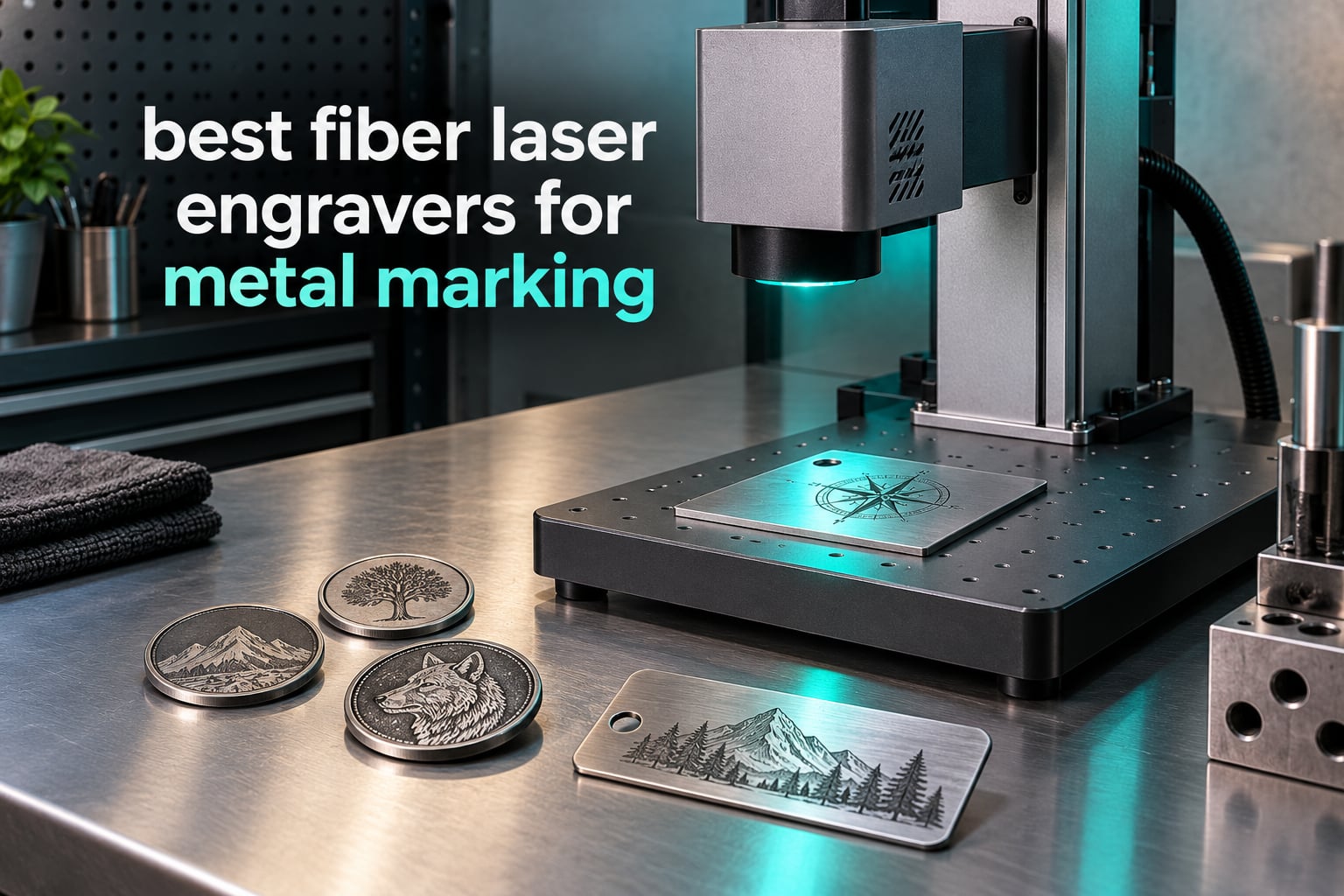
If you want the short answer, these are the three machines I would put at the top of a shortlist for the best fiber laser engravers for metal marking in 2026: the xTool F1 Ultra as the all-rounder, the xTool F2 Ultra as the production machine, and the GWEIKE G2 Pro 30W as the value pick for coins, slate and small batch work. Everything else in this guide falls into a narrower lane, and I explain where each one fits below.
The reason fiber laser wins the metal marking category is wavelength. A fiber source emits at 1064nm, and metals absorb that wavelength almost immediately, so the mark is permanent, high contrast and needs nothing added to the surface. Diode lasers cannot mark bare metal at all and depend on a chemical spray, and CO2 machines are built for wood, leather and plastic. A fiber laser marks stainless steel, aluminum, brass, copper, titanium, gold and silver as they come off the shelf.
Scope matters here, so I am stating it plainly. This roundup covers desktop and portable fiber laser engravers from 20W to 60W, which is the band where a small shop, a side business or a serious hobbyist operates. Industrial gantry systems priced in the tens of thousands are out of scope, even though they use the same technology. I work from published specifications, owner review patterns and the recurring arguments in laser engraving forums, and where a spec comes from a vendor listing rather than an independent test, I say so.
One thing worth knowing before you read the reviews: wattage and source type decide almost everything else. A 20W unit gives you the cleanest small-part detail, a 30W unit covers general shop marking and thin sheet cutting, and 50W and up is what deep engraving and firearms work demand. MOPA versus Q-switched decides whether you can do color. Get those two right and the rest is form factor and software.
Table of Contents
Top 3 Picks for Metal Marking in 2026

xTool F1 Ultra 20W Fiber
- 20W fiber plus 20W diode
- 220mm x 220mm enclosed work area
- 1064nm plus 455nm
- 16MP smart camera

xTool F2 Ultra 60W MOPA
- 60W MOPA plus 40W diode
- 100+ repeatable colors on metal
- Dual 48MP AI cameras
- up to 15000mm/s

GWEIKE G2 Pro 30W
- 30W 1064nm fiber laser
- 90+ colors on stainless and titanium
- 110mm x 110mm area
- LightBurn and WiFi
Quick Comparison of All 12 Fiber Laser Engravers in 2026
| Product | Specifications | Action |
|---|---|---|
| xTool F1 Ultra 20W Fiber and 20W Diode |
|
Check Latest Price |
| xTool F2 Ultra 60W MOPA and 40W Diode |
|
Check Latest Price |
| GWEIKE G2 Pro 30W Fiber Laser |
|
Check Latest Price |
 GWEIKE G2 20W Fiber Laser GWEIKE G2 20W Fiber Laser |
|
Check Latest Price |
 GWEIKE G2 Max 50W Fiber Laser GWEIKE G2 Max 50W Fiber Laser |
|
Check Latest Price |
 SFX 50W JPT Fiber Laser Engraver SFX 50W JPT Fiber Laser Engraver |
|
Check Latest Price |
 LaserPecker LP5 20W Fiber and Diode LaserPecker LP5 20W Fiber and Diode |
|
Check Latest Price |
 SFX 60W JPT MOPA M7 Fiber Laser SFX 60W JPT MOPA M7 Fiber Laser |
|
Check Latest Price |
 ComMarker B6 60W JPT MOPA Fiber Laser ComMarker B6 60W JPT MOPA Fiber Laser |
|
Check Latest Price |
 OMTech 30W MOPA Fiber Laser OMTech 30W MOPA Fiber Laser |
|
Check Latest Price |
 OMTech 30W Fiber Laser with Rotary Axis OMTech 30W Fiber Laser with Rotary Axis |
|
Check Latest Price |
 OMTech 60W MOPA Fiber Laser OMTech 60W MOPA Fiber Laser |
|
Check Latest Price |
1. xTool F1 Ultra (20W Fiber + 20W Diode) Is the Best All-Rounder for Metal Marking
xTool F1 Ultra 20W Fiber & Diode Dual Laser Engraver
20W fiber plus 20W diode
220mm x 220mm area
43.8 lb enclosed unit
10,000mm/s
Pros
- Marks gold silver copper stainless brass and titanium
- Handles wood acrylic leather and glass on the diode head
- Fully enclosed cover with smoke extraction and fire alarm
- 16MP camera with automatic shape recognition
- Rotary and curved surface work reported as seamless
Cons
- Deep metal engraving takes hours per piece
- Calibration controls are awkwardly placed and drift
- LightBurn connectivity is unreliable on Mac
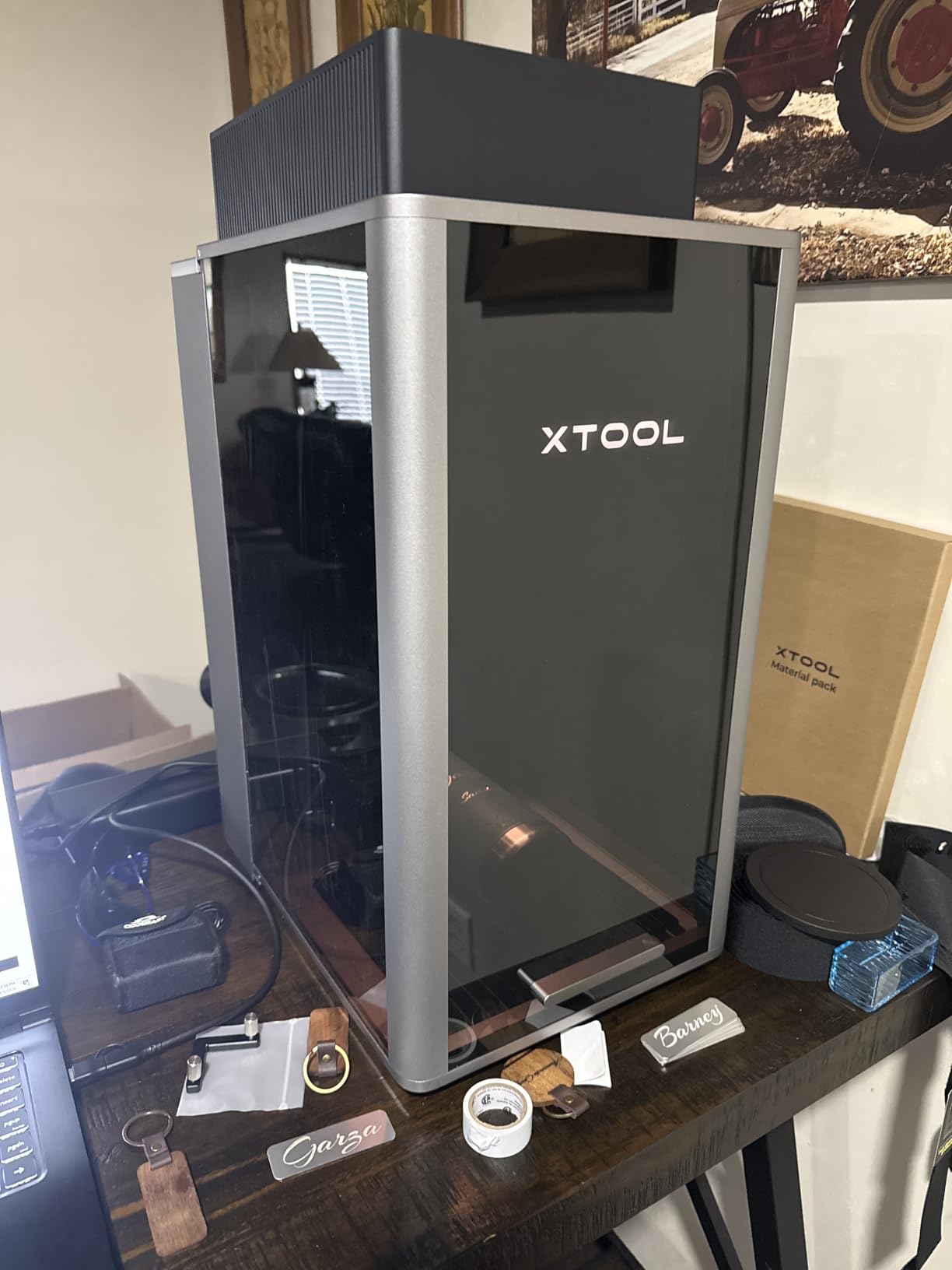
The F1 Ultra is the machine I keep coming back to because it solves two problems at once. A 20W fiber head at 1064nm handles the metal side, and a 20W diode at 455nm handles wood, acrylic, leather and glass without a second machine on the bench. That matters most for a small shop that sells mixed-material products rather than purely industrial parts.
The enclosure is the quiet advantage. The unit is fully covered with smoke extraction, a fire safety alarm and an emergency stop button, which is the difference between a machine you can put in a retail back room and one you can only legally operate in a dedicated workshop. Owners consistently single out the build quality and the safety design as reasons the machine feels like a product rather than a kit.
The 220mm by 220mm work area is large for a desktop fiber unit, and it expands to 220mm by 500mm with the optional auto conveyor if you move into batch work. Marking speed reaches 10,000mm/s. The fiber head slices 0.3mm stainless steel, 0.4mm brass and 0.2mm aluminum, which is enough for light cutting duties and thin metal blanks but not for cutting stock.
The honest limitation is deep engraving. If a job needs real depth into steel, expect hours per piece rather than minutes. Reviewers also report that calibration adjustments sit in an awkward place and can drift, and that LightBurn does not connect reliably on Mac. xTool’s own Creative Space software is well regarded, and it paywalls features such as the AI design tools.
What the F1 Ultra handles best
Personalized jewelry, gun-laying blanks, key tags, coins, tumblers and small promotional runs. The fiber head covers precious metals and the diode head means you can offer a wood or acrylic product in the same session without swapping machines.
The 16MP smart camera with automatic shape recognition is more useful than it sounds. It pulls in the outline of a non-flat part, so setup on rings and curved surfaces takes minutes rather than an hour of manual positioning. Rotary attachment and curved-surface engraving are reported as working smoothly.
Where the F1 Ultra falls short
It is rated Class 4 in the listing even with the cover closed, so you still need eye protection, extraction and a controlled workspace. Safety glasses are sold separately rather than included, and the vent tube does not fit a standard 4 inch dryer vent without an adapter.
The rating distribution is polarized, with a meaningful block of one-star reviews reflecting early laser module failures on some units. That is a support and quality-control question more than a design question, and it is the main reason the premium F2 Ultra exists.
2. xTool F2 Ultra (60W MOPA + 40W Diode) Is the Best Production Machine Here
xTool F2 Ultra 60W MOPA & 40W Diode Dual Laser Engraver
60W MOPA plus 40W diode
8.7 inch square work space
Dual 48MP cameras
15,000mm/s
Pros
- 60W MOPA produces 100+ repeatable colors on metal
- Cuts up to 2mm metal plus 20mm acrylic and 23mm wood
- Dual 48MP cameras cut setup time
- Calibration is described as painless
- Compact for the power level
Cons
- Color work needs repeated parameter tuning
- Camera preview is not accurate on curved or reflective parts
- Advanced color workflows have a steep learning curve
The F2 Ultra is the only machine in this roundup that combines a 60W MOPA source with a 40W diode in one desktop enclosure, and that combination is the whole point. MOPA gives you tunable pulse width and frequency, which is what produces more than 100 repeatable colors on stainless steel and other metals rather than one black mark.
Speed is the second argument. It runs to 15,000mm/s and cuts 3D embossing time by up to 80 percent compared with a 20W fiber machine, according to the manufacturer. The dual 48MP AI cameras with auto streamline and visual alignment are the feature owners praise most, because they cut the setup time that dominates short production runs.
Work space is 8.7 inches by 8.7 inches, expandable to 8.7 by 19.7 inches with the auto conveyor. That is the largest desktop fiber area among the machines here, and it still fits on a bench at 67.9 pounds. It also handles laser cleaning and thin metal welding alongside marking, engraving and 2mm metal cutting.
Owners running real businesses highlight repeatable color marking on coins and drinkware as the decisive benefit. If your revenue depends on color on metal rather than a black serial number, this is the machine that makes the work possible. Calibration is described as painless and the software as mature and stable.
What the F2 Ultra handles best
Color work on stainless steel, black marking on aluminum, batch production of identical parts, and mixed-material shops that need metal plus wood and acrylic from one machine. The 100-plus color library with preset matrix files means you are not starting every job from scratch.
The 0.2mm positioning accuracy from the dual camera system is what makes short runs viable. You are not hand-placing a part and hoping the alignment holds, which is the difference between a five-minute job and a twenty-minute job.
Where the F2 Ultra falls short
Consistent color engraving requires repeated tuning of frequency, power, speed and spacing, and there is no easy way to save and share a tuned setting once you find one. Camera preview is not always accurate on non-flat or reflective material, so curved surfaces still need a manual check.
Expect a learning curve. Reviewers treating it as a professional tool report strongly positive results, but they also describe the advanced color and raster workflows as steep. Ventilation is still required because ozone and fumes build up, and some early units had safety lockout defects.
3. GWEIKE G2 Pro (30W) Is the Best for Coins, Slate and Small Batch Work
GWEIKE G2 Pro 30W Fiber Laser Engraver with 3D & Deep Engraving
30W 1064nm fiber laser
110mm x 110mm area
22 lb detachable body
15,000mm/s
Pros
- Strong value for a 30W fiber machine
- Low learning curve when paired with LightBurn
- 90+ colors on stainless steel and titanium
- Support team is quick and genuinely helpful
- Includes sample aluminum and a material guide
Cons
- Rotary attachment plug-in knocks focus out
- Intermittent power loss and shallow depth reported on some units
- Internal build quality reads as mid-grade
The G2 Pro is the machine I would point a first-time fiber buyer toward. Thirty watts is the sweet spot in this category: enough to mark and lightly cut, small enough to sit on a desk, and simple enough that a newcomer gets usable results in an afternoon rather than a month. It reaches 15,000mm/s with accuracy quoted to 0.001mm.
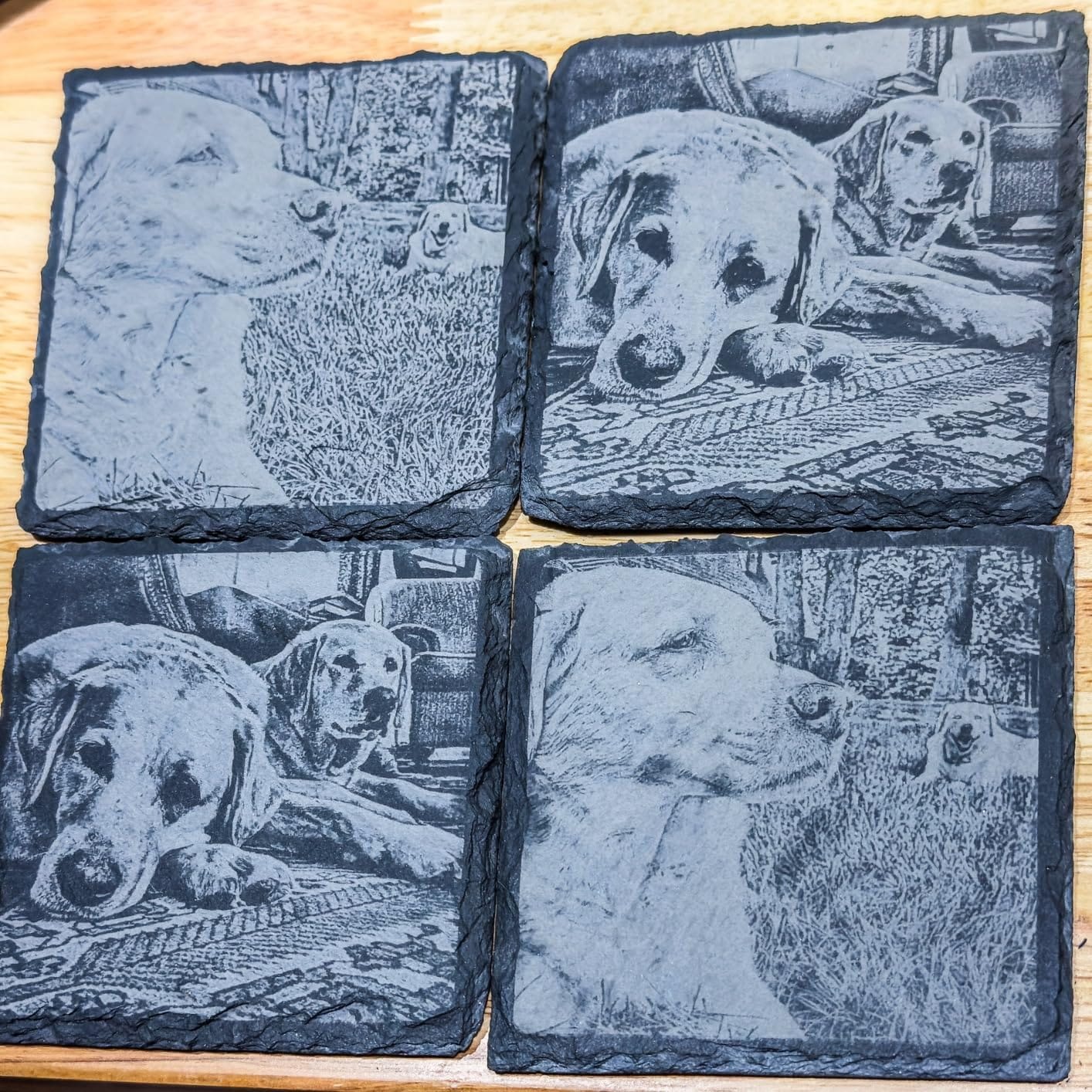
On Reddit r/fiberlaser, users discussing recommendations name the GWEIKE line directly, and the G2 Pro is the model that comes up in budget conversations. That matches what the owner reviews show: good results for coins, tumblers, slate coasters and jewelry, paired with a low learning curve when you run it from LightBurn.
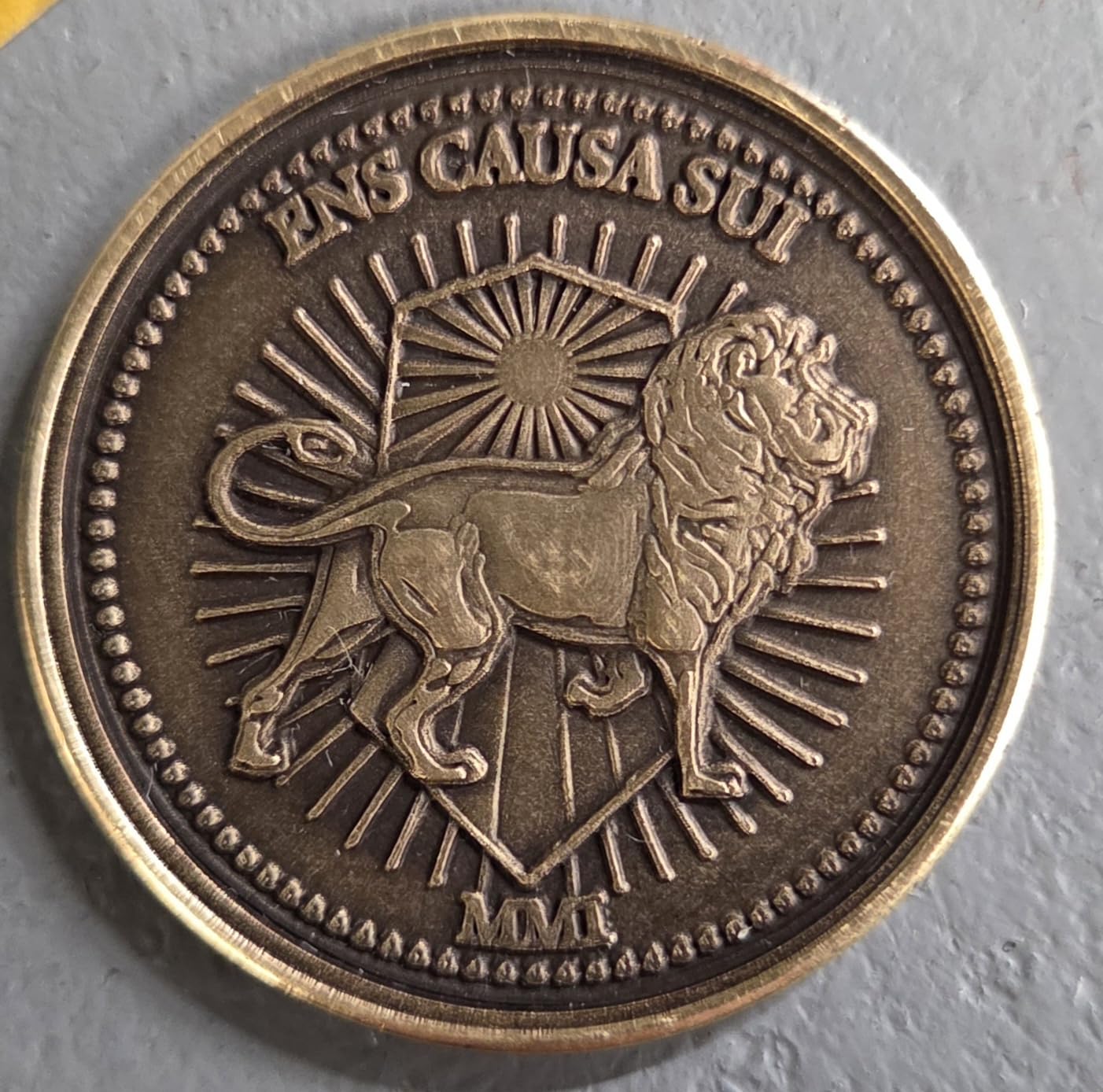
The working area is 110mm by 110mm, and a 150mm by 150mm variant exists for larger batches. It does more than bare metal: plastic, leather, colored ceramics, black acrylic and stone are all listed as supported, and it delivers 90+ colors on stainless steel and titanium. The detachable body means it is not welded to a fixed bench.
Two practical details matter. Dual red light positioning gives you a fast preview of where the job will land, and the box includes sample aluminum pieces plus a material engraving guide, which is genuinely useful for a first machine. WiFi and USB both work, and LightBurn is supported.
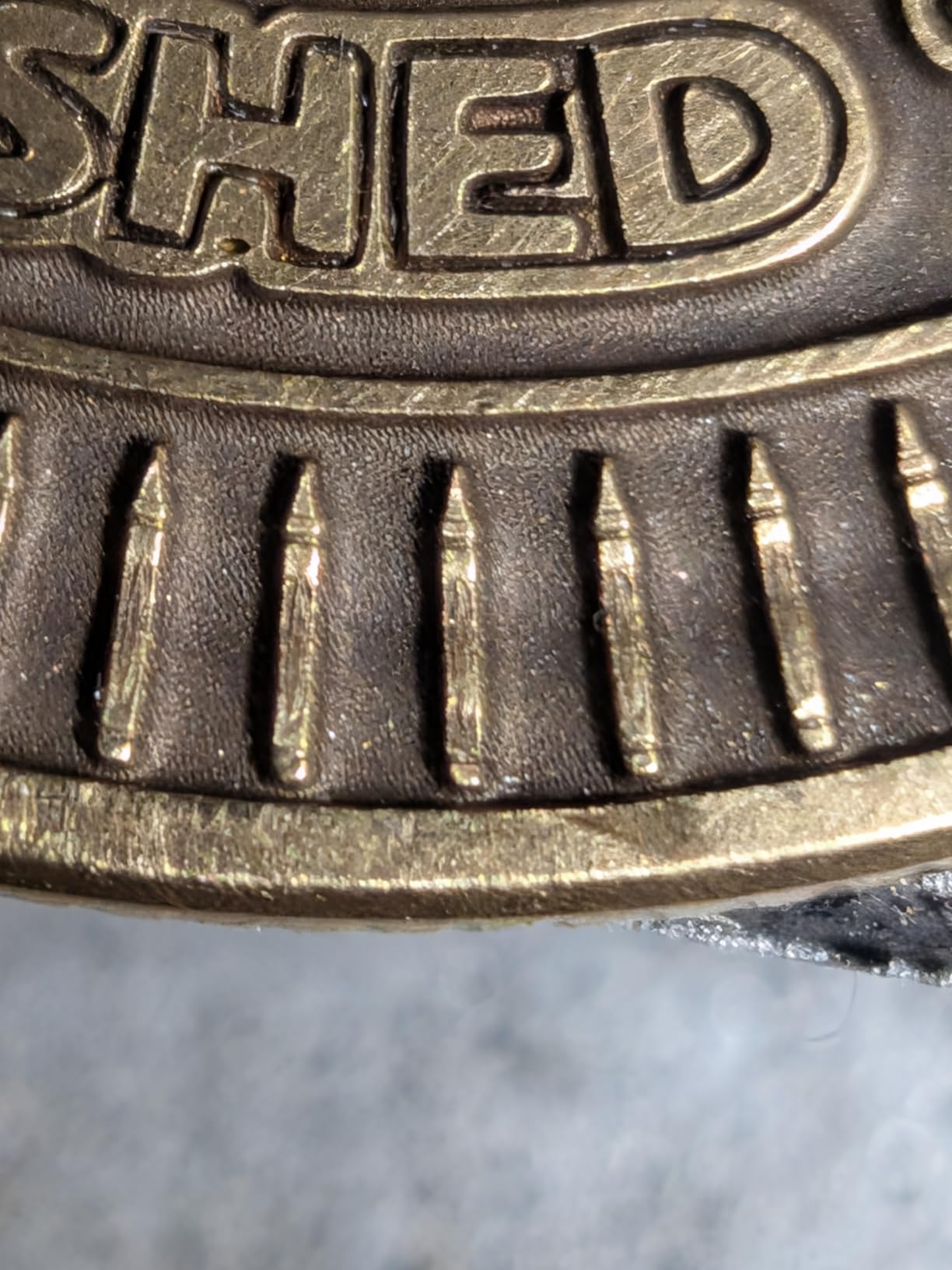
What the G2 Pro handles best
Small parts where detail matters more than depth. Challenge coin blanks at shallow depth, jewelry personalization, slate and stone coasters, tumbler customization and mixed-material gifts. The 110mm square area is right for one or two pieces at a time rather than production batches.
At 22 pounds it is the easiest machine here to move, so a shop that does markets or demonstrations can carry it to the venue instead of bringing products back to the bench.
Where the G2 Pro falls short
Two quirks cost real time. The motorized column focus buttons are awkwardly placed, and plugging in the rotary attachment triggers the head lift motor, which ruins focus until you unplug the head motor after focusing. That is a design shortcut, not a fault, but you will meet it on day one.
Reliability feedback is the reason this is not higher in the list. Owners report intermittent power loss mid-job and shallow engraving depth on coins, and the one-star share is the highest among the GWEIKE models here. Several reviewers recommend spending a bit more for a higher-grade machine, and support response times through WhatsApp can stretch to several days.
4. GWEIKE G2 (20W) Is the Best Budget Entry Into Fiber Marking
GWEIKE G2 20W Fiber Laser Engraver, 15000mm/s Laser Engraving Machine
20W 1064nm fiber laser
110mm x 110mm area
2K 4K and 8K resolution
LightBurn compatible
Pros
- High marking speed for the power tier
- 30+ colors on stainless steel and titanium
- Detachable portable structure
- Works with LightBurn and GLaser over WiFi or USB
- Red light positioning speeds layout
Cons
- 20W limits deep engraving and heavier cutting
- 110mm by 110mm area is small for batch runs
The G2 20W is the cheapest route in this list to genuine bare-metal marking, and it is the only machine here with a 4.3 rating on a meaningful volume of reviews. It shares the GWEIKE chassis and software approach with the Pro and Max, so nothing about the workflow changes if you outgrow it later.
Twenty watts is a precision number more than a power number. It produces the cleanest small-part detail of the three GWEIKE machines because there is less energy to spread, and the quoted 0.001mm accuracy with 2K, 4K and 8K resolution options gives you fine control on serial numbers and jewelry.
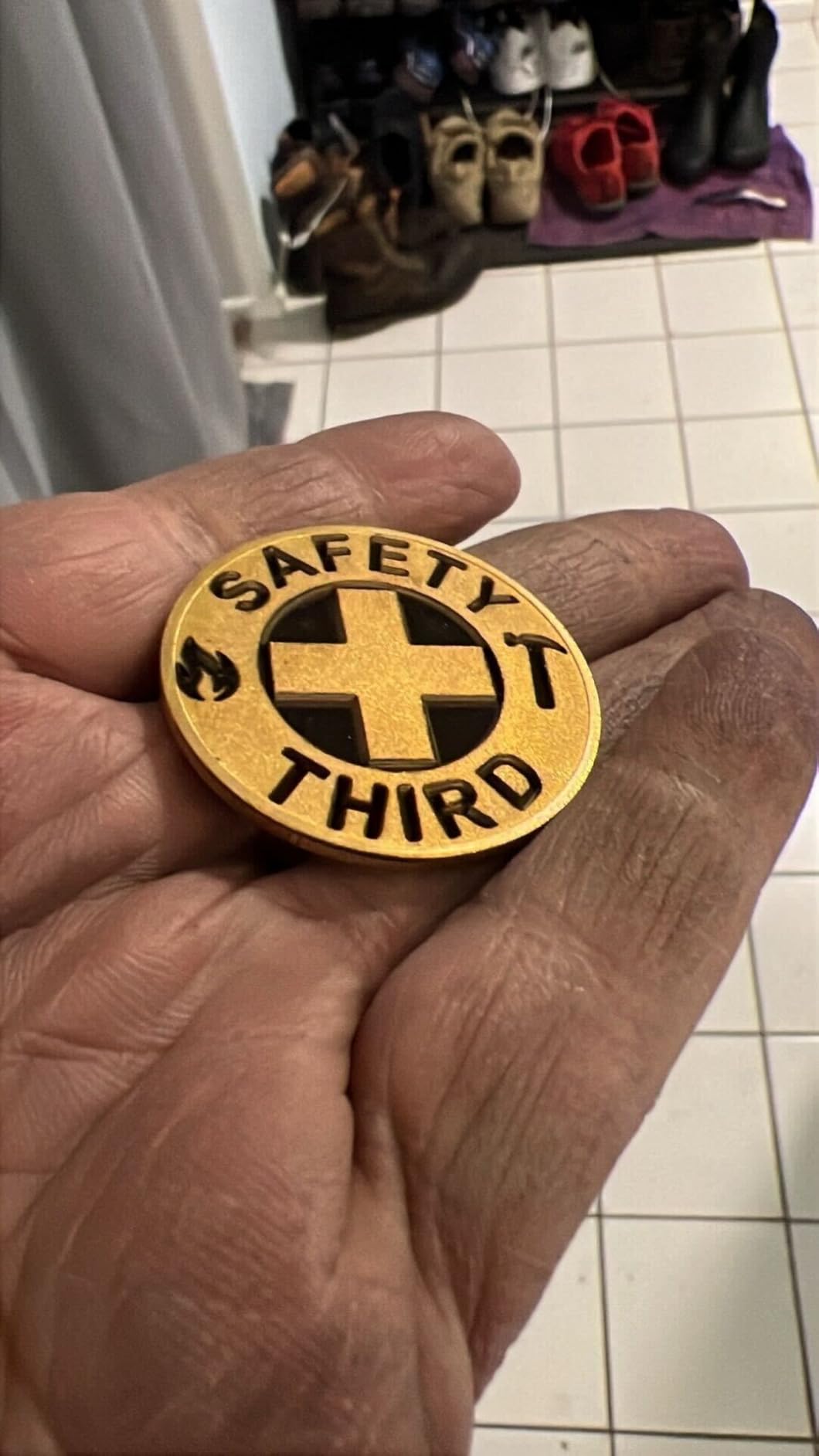
It runs at up to 15,000mm/s and marks 30+ colors on stainless steel and titanium, which is more than most buyers at this power level expect. Materials beyond metal include plastic, leather, dark glass, colored ceramic, black acrylic and stone. The working area is 110mm by 110mm, with a larger variant available.
Red light positioning for preview, plus WiFi and USB transfer with both LightBurn and GLaser support, means you are not locked into one workflow. That flexibility is the underrated advantage over machines that only speak one control protocol.
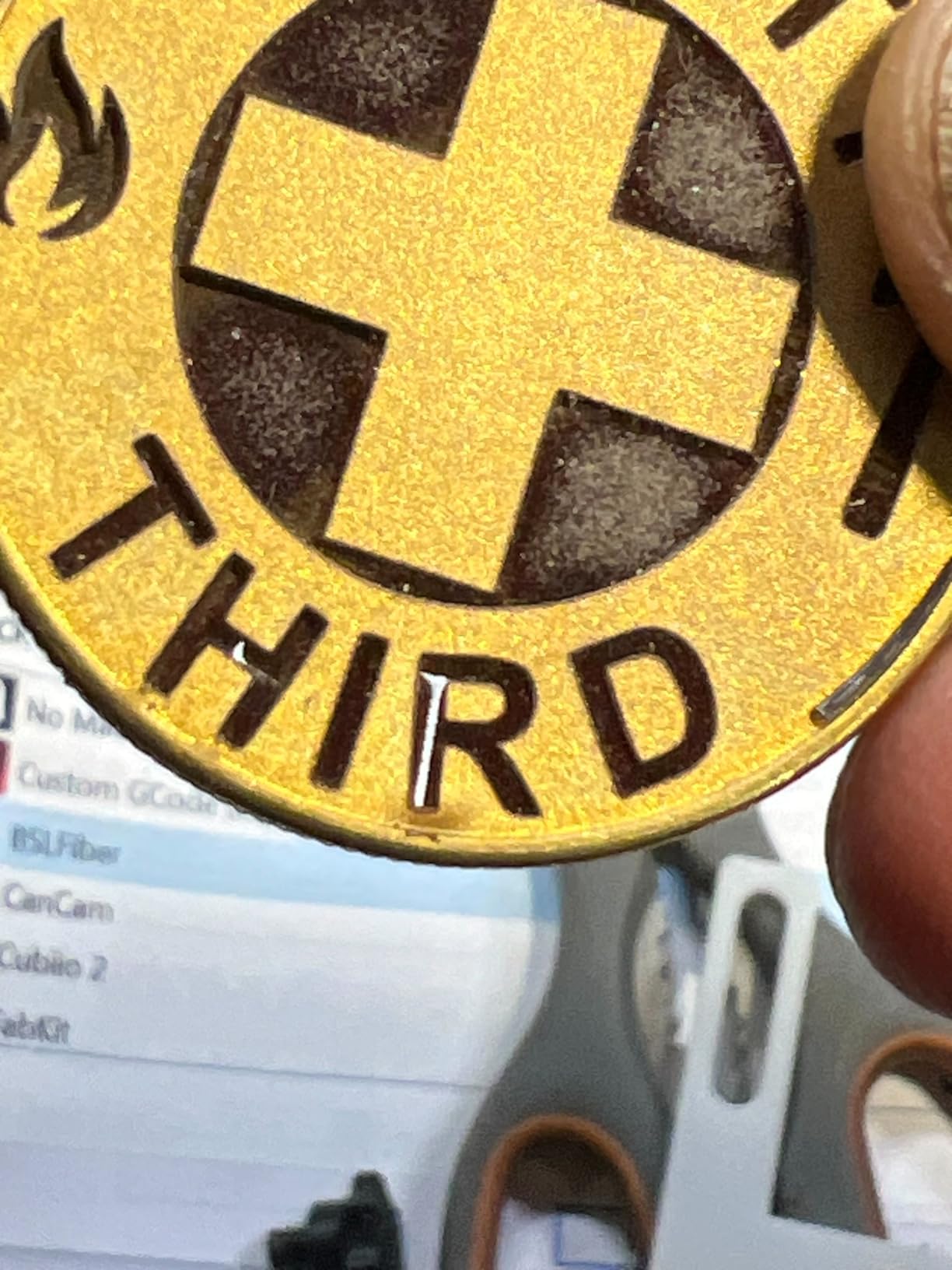
What the G2 20W handles best
Marking thin, light metals and precious metals. Gold, silver, jewelry, key fobs, small serial plates and coated surfaces where you want a crisp shallow mark rather than a deep cut. It is also a good first machine for learning LightBurn.
If your work is personalization rather than production, this is enough. A 110mm square bed is comfortable for single pieces and small sets.
Where the G2 20W falls short
The limit is depth. Compared with the 30W and 50W models in the same line, 20W has less engraving depth and far less cutting headroom. If your parts are thick steel or you plan to cut metal, this is the wrong machine.
Batch work is also constrained by the 110mm by 110mm area. And with 20W of fiber you are buying a marker, not a cutter. Buyers who later need depth generally wish they had started one tier up.
5. GWEIKE G2 Max (50W) Is the Best for Deep Engraving and Cutting
GWEIKE G2 Max 50W Fiber Laser Engraver with 3D & Deep Engraving
50W 1064nm fiber laser
150mm x 150mm area
Electric lift column
Deep engraving and cutting
Pros
- 50W delivers noticeably deeper engraving and real cutting
- 150mm square area is the largest in the GWEIKE desktop line
- Electric lift column gives one-push focus
- 90+ consistent colors on metals
- 22 lb detachable design
Cons
- Reflective alloys such as brass can damage the source
- Steep calibration process before results are repeatable
- Ceramic work leaves the machine gritty inside
The G2 Max is the step up that changes what you can make. Fifty watts is where fiber moves from marking to engraving with real depth and light metal cutting, and it carries the highest rating in the GWEIKE range with a 76 percent five-star share. The user on Reddit r/fiberlaser who names the G2 Max in a recommendations thread is using it for NFA engraving, which is exactly the workload this power level exists for.
The 150mm by 150mm work area is the largest of the three desktop GWEIKE bodies, and the electric lift column makes focus adjustment a single button press instead of a hand crank. That one feature does more for daily throughput than any spec number.
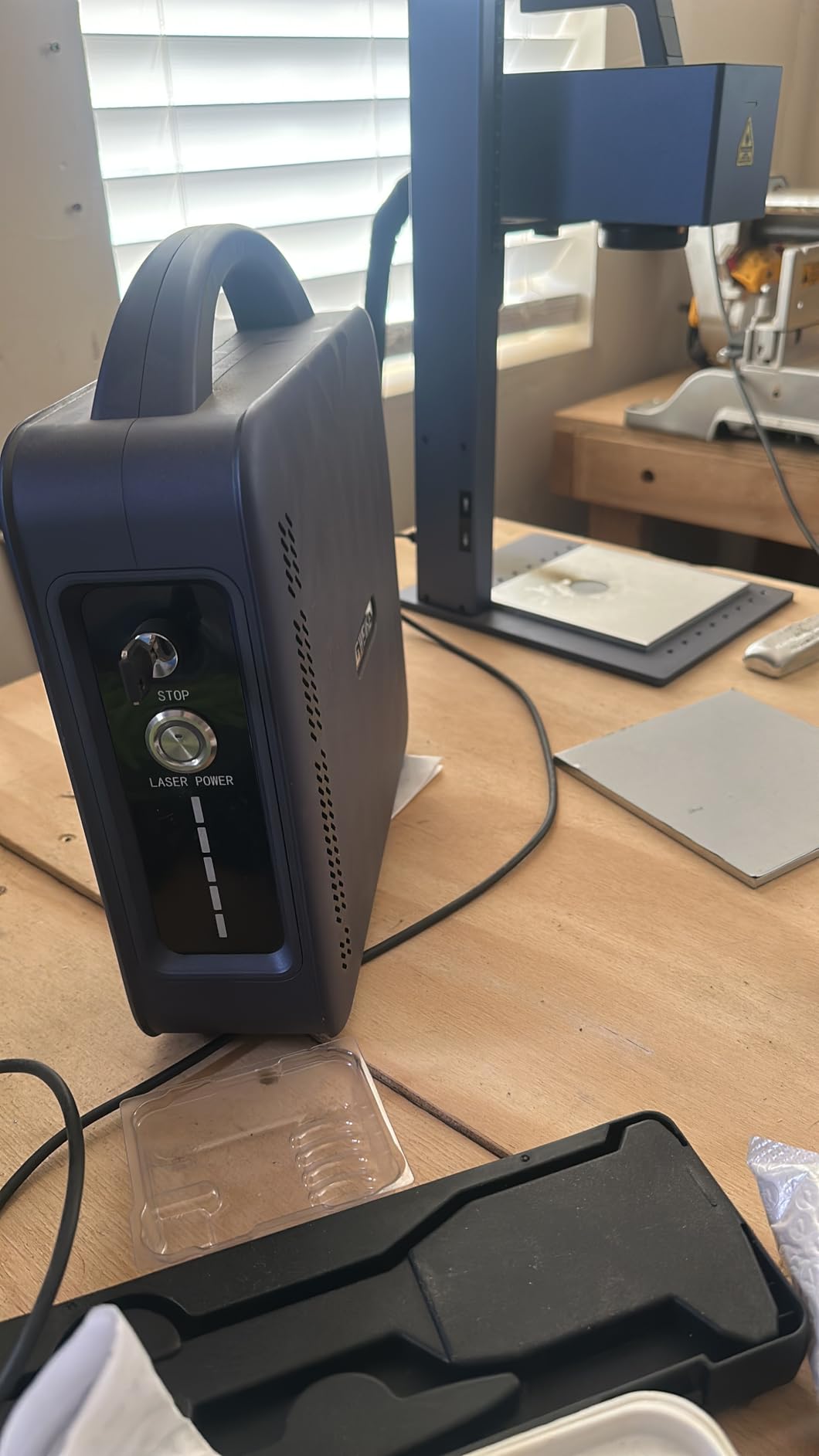
Marking speed is 15,000mm/s with 0.001mm accuracy and HD 8K resolution, and it delivers 90+ colors on stainless steel and titanium. Both GLaser and LightBurn are supported over WiFi and USB, with dual red light positioning and fully digital galvo scanning for preview. The same 22-pound detachable chassis moves between the bench and the market stall.
This is a strong value for advanced hobbyists and small production runs. Deep engraving, metal cutting and 3D carving are all listed capabilities rather than aspirations, which is not true of every machine at this power.
What the G2 Max handles best
Firearms and NFA engraving, deep steel work, challenge coins, thicker aluminum and any job where depth matters more than throughput. It is also comfortable on ceramics, dark glass, acrylic and stone once you have the parameters dialled in.
The 150mm square area means fewer repositioning cycles than the 110mm models, and the powered focus column means less time between parts. For batch work at depth, that combination is worth the extra power.
Where the G2 Max falls short
The warning that matters most is about reflective alloys. Reviewers report that brass in particular risks damaging the laser, with several owners describing a fiber laser dying on brass coins. Test material before you commit a production run to a reflective alloy.
Getting repeatable results takes substantial calibration work up front, and ceramic engraving leaves the machine gritty and messy inside. Buyers considering high-volume challenge coin production are advised to take an extended warranty or a dedicated machine instead.
6. SFX 50W JPT Is the Best Spec Sheet for a Working Shop
US Stock 50W JPT Fiber Laser Engraver Machine Fiber Laser Marking Machine Engraving Machine 175×175mm Lens with Rotary Axis Compitable with Lightburn Class II Laser 0.874 mW FDA 2520815-000
50W JPT LP+ source
175mm x 175mm field
80mm rotary axis included
7m/s marking
Pros
- JPT LP+ source with 7m/s speed and 0.002mm repositioning precision
- Largest marking field in this roundup at 175mm square
- Includes an 80mm rotary axis for cylindrical parts
- Original JCZ board running EZCAD2 with LightBurn support
- Two-year warranty with lifetime one-on-one technical support
Cons
- Only 20 reviews so independent feedback is thin
- Class II setup favors marking over open-field cutting
- Low category sales rank means limited installed base
This is the machine with the most industrial specification sheet in the roundup. The 175mm by 175mm marking field is the largest here, the JPT LP+ 50W source is a named and traceable component rather than a generic wattage claim, and the pulse specification of 1 to 600kHz at 200ns tells you the source is genuinely tunable.
Repetition rate and pulse duration are exactly the numbers an experienced buyer should want to see. Most listings publish only wattage. A 200ns pulse duration and 0.002mm re-positioning precision are what separate a marking machine that can do fine serial work from one that only does surface change.
The included 80mm rotary axis is a real saving and removes a decision. Cylinders, rings and tubes can be marked on arrival rather than after a separate purchase, which matters if rings are part of your product line. The original BJ JCZ control board runs EZCAD2 and is LightBurn compatible, and marking speed reaches 7m/s.
It marks aluminum, stainless steel, brass, copper, gold and silver, plus nylon, ABS, PVC and PES. Electrical-to-optical conversion is quoted at up to 70 percent, and the two-year warranty is backed by US-based pre- and post-sales teams on a brand that has made laser products since 2004. Engraving depth is specified at up to 1mm.
What the SFX 50W handles best
Production marking with the controls to do it properly. Serial numbers, VIN and part identification, batch work across a large field, and cylindrical parts using the bundled rotary axis. It suits a job shop that has outgrown a desktop unit but does not want a floor-standing cabinet.
Because it runs EZCAD2 and LightBurn, you are not locked into a vendor ecosystem. The JCZ board is one of the most widely supported control platforms in the industry.
Where the SFX 50W falls short
The listing carries a perfect 5.0 rating, but it is a perfect 5.0 across only 20 reviews with no negative ratings recorded at all. Read that as thin review volume rather than validated long-term reliability, and check the very low category sales rank as a sign of limited unit volume.
At 31.1 by 20.08 inches it needs real bench space, and the Class II enclosure configuration suits marking rather than open-field cutting work. Confirm the enclosure and safety requirements for your own workspace before buying.
7. LaserPecker LP5 (20W Fiber + 20W Diode) Is the Best Portable for Client Sites
LaserPecker LP5 20W Fiber & Diode Dual Laser Engraver, 10X Faster 0.0027mm Precision for Metal Wood Jewelry, 3D Grayscale & Color Engraving, Portable 6kg Laser Cutter for Instant Store Customization
20W fiber plus 20W diode
6.02kg chassis
10,000mm/s
Battery or mains power
Pros
- Genuinely portable with a built-in carry handle
- Runs on external battery power for client sites
- Solid aluminum construction rather than plastic
- Blue laser outline removes guesswork on placement
- Cuts 1mm brass and stainless without cutting fluid
Cons
- Cooling fans are loud enough to exceed conversation volume
- Leaves burnt debris that needs external extraction
- 2.4GHz WiFi only and short included cables
The LP5 is the only machine here you can genuinely carry to a client. At 6.02kg with a built-in handle, it is roughly a quarter the weight of the desktop units on this list, and it runs on external battery power as well as mains. Owners describe working from a car trunk and doing in-store customization with it.
That portability does not cost you real metal capability. The 20W fiber head slices 0.5mm brass and titanium, and reviewers report cutting 1mm brass and stainless steel cleanly without cutting fluid or clamping. Accuracy is quoted at 0.0027mm with 8K detail at speeds up to 10,000mm/s.
The blue laser project outline is the feature I would not expect from a portable machine. It projects the job onto the surface so you can position without guesswork, which matters enormously when you are setting up on a customer’s table rather than a fixed jig. Assembly takes about two minutes.
For non-metal work the 20W diode cuts 20mm wood and 15mm acrylic. The LDS 3D grayscale function gives depth-controlled relief work on coins, and the Material Test Array is quoted to cut test runs by up to 80 percent. The package includes safety glasses, L-shaped jig holders, a safety backplate, an exhaust hose and sample materials.
What the LP5 handles best
On-site work where the part cannot come to you. Market stalls, client visits, trade shows, in-store customization on tumblers and gifts, and demonstration work. The aluminum chassis and braided cables feel like a step above the plastic-chassis machines at this size.
It is also a good first machine for someone moving from hobby to side business, because you can grow into the work without a second purchase when the job has to happen somewhere else.
Where the LP5 falls short
Noise. The cooling fans are loud enough to exceed normal conversation volume in a living space, which is a genuine problem for a machine marketed as portable. It also leaves burnt debris that needs an external extraction fan to manage.
Connectivity is the other soft spot. It is 2.4GHz WiFi only, the included USB cable is short, the mobile app disconnects from the foreground on Android, and some units needed support intervention for Bluetooth. Bevels also cut sharply further off-center, so interlocking cut-outs do not fit well.
8. SFX 60W JPT MOPA M7 Is the Best for Repeatable Color Marking
US Stock 60W JPT MOPA M7 Fiber Laser Marking Machine Fiber Laser Engraver Laser Marker 175×175mm with 80mm Rotary Axis Compatible with Lightburn
JPT MOPA M7 60W source
175mm x 175mm field
2.0mJ pulse energy
80mm rotary axis
Pros
- 60W MOPA M7 enables aluminum black marking and coating removal
- Color marking on stainless steel with a 175mm square field
- Includes an 80mm rotary axis and 1.0mm engraving depth
- 2.0mJ max pulse energy at 1 to 4000kHz
- Marking speed up to 7m/s with 0.002mm precision
Cons
- Only 6 reviews so owner feedback is extremely thin
- At 99 pounds it is a floor-standing machine
- Fume extraction is still required for safe operation
This is the most capable MOPA configuration in the roundup on paper. The JPT MOPA M7 60W source delivers 2.0mJ maximum pulse energy across a 1 to 4000kHz repetition rate with 2 to 500ns pulse duration, and that combination of tunability and power is what produces color on stainless steel rather than a single dark mark.
Aluminum black marking and coating peeling are both listed application areas, and those are two jobs a Q-switched source simply will not do. The 175mm by 175mm marking field with up to 1.0mm engraving depth gives you real engraving capacity as well as surface marking.
The included 80mm rotary axis covers cylindrical work from the start. Control is through EZCAD2.0 with LightBurn compatibility, marking speed reaches 7m/s and re-positioning precision is 0.002mm. Electrical-to-optical conversion is quoted at up to 70 percent, and the machine is listed as a Class 1 laser product at 0.39mW output.
The materials list is broad: carbon steel, brass, copper, gold, silver, nylon, ABS, PVC and PES, with specific capability for aluminum black marking, coating peeling, large-area engraving and color marking on stainless. This listing is long-running, which tells you the model is established rather than experimental.
What the SFX 60W MOPA handles best
Color work on stainless steel that has to look the same on every piece, aluminum black marking, coating removal, and large-area engraving across a 175mm square field. If color consistency is your product rather than a bonus, the MOPA source is the reason to buy this tier.
The rotary axis makes rings, rods and tumblers straightforward. And the long production history plus US-based support structure is meaningful for a machine you expect to run daily.
Where the SFX 60W MOPA falls short
The honest caveat is evidence. There are only six reviews, all five-star, with no written customer feedback surfaced, and the category sales rank is low. A perfect score on a sample that small is an artifact, not a reliability record. Ask the seller for reference jobs on your specific alloy before committing.
At 99 pounds it is a floor-standing machine rather than a desktop unit, and the package dimensions are 30.75 by 28.25 by 19 inches. Plan the footprint accordingly, and budget for fume extraction regardless of the Class 1 listing.
9. ComMarker B6 (60W JPT MOPA) Is the Best for Aluminum Black Marking
ComMarker B6 60W JPT Mopa Fiber Laser Engraver, Auto Focus Screen, Portable Laser Engraver, Color Marking, 150mm x 150mm, Lightburn Compatible, Laser for Metal, Plastic, Jewelry
60W JPT M7 MOPA
150mm x 150mm area
Touch screen auto focus
13kg two-in-one body
Pros
- Excels at stainless steel and anodized aluminum marking
- Touch screen auto focus simplifies setup
- LightBurn and EZCAD2 on Windows and Mac
- Comprehensive accessory package with goggles and test steel
- Quick assembly out of the box
Cons
- Steep learning curve for how settings interact
- Needs substantial test burn-off before results are predictable
- Some units arrived not working and needed owner repair
The ComMarker B6 pairs the same JPT M7 MOPA family source with a 13kg two-in-one body that works as a desktop or tabletop unit. That is unusual at 60W, and it is the reason this machine is interesting despite a thin review base. The marking area is 150mm by 150mm with 15,000mm/s engraving speed.
Reviewers who own it single out stainless steel and anodized aluminum as the standout materials, and anodized aluminum in particular is where a MOPA earns its cost. Black marking on aluminum is a demanding job for any laser, and this source is built for it.
Touch screen auto focus is the practical feature here. Setting focus by hand on a 60W head at 13kg is unpleasant; doing it from the panel is not. LightBurn and EZCAD2 both work, and the listing covers Windows 7 through 11 plus Mac through LightBurn, which is wider than most machines at this level.
File format support is unusually broad: BMP, GIF, JPG, JPEG, DXF, DST and Al. The accessory package includes a power adaptor, data cable, foot switch, Type-C cable, risers, Allen wrench, placing helper, ruler, goggles, two OTG adapters, a USB drive, paperboard and a steel testing piece. It is a Class 1 laser product at 1.95mW with an FDA accession number listed.
What the ComMarker B6 handles best
Anodized aluminum black marking, stainless steel work, and 60W deep engraving on a machine you can still carry between a counter and a bench at 13kg. It is also a sensible choice if you need Mac support through LightBurn and your other candidate does not offer it.
Color marking on stainless steel is supported, and the auto focus keeps setup consistent across mixed batches, which is where hand-focusing normally costs you money.
Where the ComMarker B6 falls short
There are only five reviews and the spread is wide. One detailed account praises the output and assembly, while another describes a machine that did not function out of the box, arrived late and met with a repair-it-yourself support response. That is the risk profile of a less established brand.
Both accounts agree on the real cost: a steep learning curve for how settings interact across materials, and substantial test burn-off before results become predictable. It also needs an external fume extraction setup to operate safely, which is an install you have to plan for rather than a feature you get.
10. OMTech 30W MOPA Is the Best for Set-It-Once Autofocus Work
OMTech Autofocus 30W MOPA Fiber Laser Marking Machine with Rotary Axis, Fiber Laser Engraver for Metal Color Marking, 6″ x 6″ Workbed Fiber Laser Cutter with EzCad, 100,000 hr. Life Etching Machine
30W MOPA solid-state source
5.9 inch square workbed
Automatic focusing within 1mm
10,000mm/s
Pros
- Automatic focusing with 1mm accuracy removes manual setup
- Fiber source rated for over 100000 hours
- Compact body fits tight workshop spaces
- Quiet operation with safety goggles included
- EzCad software included
Cons
- Workbed is limited to 5.9 inch by 5.9 inch
- Only 2 reviews available to assess
The pitch here is simple: automatic focusing with plus or minus 1mm accuracy. On any fiber machine, focus is the variable that decides whether a mark is crisp or fuzzy, and eliminating the manual step removes the most common cause of inconsistent results across a batch.
As a MOPA source at 30W it sits between the marking tier and the production tier. The source is rated at over 100,000 hours mean time to failure, which is a useful expectation to set if you are running this as a business asset rather than a weekend tool.
The workbed is 5.9 inches by 5.9 inches, which is the smallest here, and marking speed is 10,000mm/s. The listed material compatibility covers stainless steel, leather and wood, and the machine ships with safety goggles. EzCad is included, and the body measures 26.8 by 13.4 by 28 inches.
What owners who have bought it mention most is the customer service. For a machine where a support conversation can save you a calibration afternoon, that is a real factor rather than a marketing line.
What the OMTech 30W MOPA handles best
Marking stainless steel in runs where every piece needs to look identical. Auto focus removes the variable that most often makes batch work inconsistent, and MOPA pulse control at 30W gives you more surface options than a Q-switched source at the same wattage.
It suits a small workshop with tight bench space, and it is a sensible middle step if you want MOPA color capability without moving to a 50W or 60W machine.
Where the OMTech 30W MOPA falls short
Only two reviews exist, which is not enough to judge long-term reliability. Weight is not published, so confirm the weight before planning a counter installation.
The 5.9 inch square workbed is the real constraint. It is comfortable for jewelry and small parts and tight for anything larger, and you will reposition more often than you would on the 6.9 inch models. Treat the review count as the main reason this sits where it does rather than higher.
11. OMTech 30W With Rotary Axis Is the Best for Larger Flat Parts
OMTech 30W Fiber Laser Engraver with LightBurn and Rotary Axis, Laser Engraving Machine with Red Dot Pointer, 6.9×6.9 Solid State Laser Marking Etching Machine for Metal Steel Gold Jewelry More
30W fiber laser
6.9 inch by 6.9 inch area
7,000mm/s
Rotary axis included
Pros
- Rotary axis included in the package
- 6.9 inch square area handles larger flat work
- LightBurn and EZCAD2 compatibility
- 0.1mm accuracy at 7000mm/s
- Dual red dot locators for fast setup
Cons
- Weighs 120 pounds and is not portable
- Large 30.5 by 17.7 by 31.1 inch footprint
- Only 4 reviews available
This is the practical choice if your parts are wide sheets or flat plates rather than small jewelry. The 6.9 inch by 6.9 inch marking area, which is 175mm by 175mm, is a full step up from the 110mm and 130mm desktop beds, and the rotary axis is included rather than sold as an add-on.
Software support is the other reason it ranks here. It runs LightBurn and stays EZCAD2 compatible, so if you already design in LightBurn, a machine that runs LightBurn natively saves you a conversion step and a class of layout surprises.
Dual red dot locators give you a preview of both axes, which speeds setup on a large bed where you would otherwise nudge the part and re-run. It is a small feature that matters most on a machine where the work area is large enough that positioning is the bottleneck.
Marking capability covers steel, gold, jewelry and other metals the fiber family handles. The listing is long-running, so the platform is established rather than new.
What the OMTech 30W handles best
Flat metal parts that do not fit a small bed: nameplates, industrial tags, larger blanks, tool identification and product plates. Thirty watts marks these cleanly without pushing into cutting territory you would not want at this class level.
The bundled rotary axis is what makes it worth the footprint. Rings, rods and tumblers are covered from the first day without a second purchase.
Where the OMTech 30W falls short
It weighs 120 pounds and measures 30.5 by 17.7 by 31.1 inches. That is a floor-standing footprint, not a desktop one, and it is a two-person job to reposition. Plan the bench before you order.
There are only four reviews. They are all five-star and mention precision, speed and software compatibility, but four reviews is a very thin basis for a machine at this size. And 7,000mm/s is slower than the GWEIKE and xTool machines here, which shows up on long jobs.
12. OMTech 60W MOPA Is the Best for High-Volume Color Batches
OMTech 60W Fiber Laser Marking Machine, LightBurn Compatible MOPA Laser Engraver with Red Dot Guide for Metal Color Marking, 7×7 Solid State Laser Etching Machine for Aluminum Steel Gold Jewelry More
60W MOPA fiber source
6.9 inch square work area
10,000mm/s
Footpad trigger included
Pros
- 60W MOPA with adjustable pulse frequency and width for color
- Footpad trigger keeps batch work hands-free
- Galvanometric system with under 1 percent distortion
- Source rated for over 100000 hours
- Protective eyewear included
Cons
- Rotary axis is not included and uses a 4-pin port
- Only 3 reviews available
- Heaviest desktop option here at 73 pounds
The OMTech 60W MOPA is the most complete production package in this list if color on metal is your business. Adjustable pulse frequency and width is the parameter set that controls color, and a 60W MOPA source gives you the headroom to hit colors quickly enough to batch them rather than one at a time.
The footpad trigger is the detail that makes production work practical. Holding a button or clicking through a software dialog for every piece is where small shops lose money. Triggering from a foot pedal keeps both hands on the part and the cycle tight, and reviewers running batch work value it.
Marking speed is 10,000mm/s with 0.1mm accuracy across a 6.9 inch by 6.9 inch area. The high-speed galvanometric system uses an f-theta field lens with under 1 percent distortion, which is the figure that determines whether a mark stays uniform toward the edges of the field. EzCad2 for Windows is included, and it is LightBurn compatible.
One verified purchaser compared this machine against another brand and found the OMTech performed better, specifically citing the 60W power combined with the larger field and rotary capability. Rotary works through a 4-pin port, though the axis itself is not included, and protective eyewear is in the box.
What the OMTech 60W MOPA handles best
High-volume color batches on jewelry, drinkware and personalized products where the same mark has to appear on every piece. Sixty watts plus MOPA is what shortens the dwell time enough to make batch pricing viable, and the footpad keeps the operator’s attention on placement.
It also suits shops that have already outgrown a 30W machine and want a 6.9 inch bed without moving to a floor-standing cabinet at 73 pounds.
Where the OMTech 60W MOPA falls short
There are only three reviews, one of which is the comparison account above. Treat the 4.6 rating as promising rather than proven, and check the best sellers rank, which is lower than the 30W OMTech models, before you commit.
The rotary axis is not included and needs the 4-pin port, so ring and tumbler work is an extra purchase. And at 73 pounds it is the heaviest desktop option in this roundup. As with every MOPA machine here, ventilation is required and color work needs parameter tuning per material.
How to Choose a Fiber Laser Engraver for Metal Marking?
Most buyers lose time by comparing machines on the wrong axis. Wattage and source configuration decide what jobs are possible; everything else is preference. Work through those two first, then match the form factor and software to your actual workspace.
How Many Watts Do You Need for Your Actual Job?
Wattage is a proxy for energy delivered to the surface, and it maps cleanly onto real work. Twenty watts is the detail tier. It produces the finest marks on small parts because the spot is easier to keep tight, which is why it suits jewelry, serial numbers and thin precious metals, but it will not cut meaningfully and depth is limited.
Thirty watts is the general shop tier. It marks everything twenty watts handles plus thicker and more common metals, and it adds light cutting capability for thin sheet in a small number of passes. If you do one thing for general shop marking and thin sheet work, this is the number you want.
Fifty watts and above is the depth tier. Deep engraving, firearms and NFA work, thick steel, and cutting thin stock are out of reach below it. The forum consensus is consistent on this: 20W gives better precision on small parts, 50W is the safe choice for deep work, and most buyers sitting between those two end up moving to 30W.
A quick way to sanity check your own answer: list your five most common parts, note the thickest material, and ask whether you need to cut or only mark. If every part is small and shallow, 20W is correct. If the thickest material is over a few millimeters or you need depth, budget for 50W or above.
Do You Need MOPA or Is Q-Switched Enough?
MOPA stands for master oscillator power amplifier, and the important thing to understand is that MOPA is a configuration, not a source brand. A MOPA source lets you tune pulse width independently of frequency, and that control is what produces color on stainless steel and black marking on aluminum.
Q-switched sources are cheaper, simpler and produce clean dark marks on steel. They are the right answer for serial numbers, part identification, tooling and any job where contrast on bare metal is the whole point.
The buy rule: if you are selling color on metal, or marking anodized aluminum black, buy MOPA. If you are marking identification data on steel, aluminum or brass and the mark only needs to be permanent and legible, a Q-switched source at the same wattage will serve you and cost less. The price gap between the two configurations is real and visible on listings at equal wattage and working area, so decide before you shop rather than after.
Working Area, Form Factor and Rotary Support
Compact integrated units run roughly 110mm to 130mm square and suit small parts and single-piece work. Mid-size units at 150mm to 175mm square handle nameplates, coins and larger blanks. Anything beyond 175mm moves into floor-standing territory, and those machines need planned bench space rather than a desk corner.
Rotary support matters more than buyers expect. If rings, tumblers, rods or cylindrical tooling are part of your work, native rotary support is worth more than extra wattage. Some machines here include an 80mm rotary axis in the box, others expose only a 4-pin port, and the GWEIKE models use a detachable column that shifts focus when the rotary is plugged in. Check the specific interface before you buy.
Two form factors cover most needs: the desktop unit that lives on a bench, and the portable battery-powered unit that goes to the customer. A portable machine such as the LaserPecker LP5 is a quarter the weight of a desktop and can be carried to a market, at the cost of a smaller work area and louder fans.
Software: LightBurn, EZCAD2 and GLaser
LightBurn compatibility shows up in the forum discussions as a decisive purchase factor, not a nice-to-have. If you already design in LightBurn, a machine that runs LightBurn natively saves you a conversion step and a class of layout surprises.
EZCAD2 is the older control environment and is standard on JCZ-based industrial machines. It is powerful and stable, and the file formats are well established. GLaser is the GWEIKE environment, and all three GWEIKE machines here support both GLaser and LightBurn, which is a flexibility advantage worth noting.
Two software cautions from owner reviews. Some brand desktop software paywalls features such as AI design tools, and LightBurn connectivity has been reported as unreliable on Mac on at least one machine here. If your workflow is Mac-based, verify compatibility explicitly before purchase rather than assuming it.
Laser Source Brand, Safety, Cooling and Running Costs
Laser source brand is the criterion no competitor roundup in this category bothers to mention, yet buyers on Reddit r/Laserengraving reason about it constantly. Raycus and JPT are the two names you will see most often on legitimate machines, and reviewers repeatedly single out Raycus as a reliable choice while flagging no-name Max-brand sources skeptically. Treat that as community opinion rather than a laboratory result, but it is a reasonable filter.
A named source with published pulse specifications is a good sign. The SFX machines here specify 1 to 600kHz at 200ns pulse duration, and 1 to 4000kHz at 2 to 500ns. A listing that publishes only wattage is telling you less than it should.
Safety decides where you can legally work. A fully enclosed machine with an interlocked cover, smoke extraction and emergency stop is the practical choice for a home, retail back room or shared space. Several machines here are listed as Class 4 despite covers, which means eye protection and controlled areas are still required. Machines listed as Class 1 products simplify that, though ventilation is still needed for fumes.
Consumables are the running cost nobody mentions until the first lens goes. Expect to replace protective lenses, and treat galvo mirrors and chiller service as maintenance items rather than surprises. Source life claims of 100,000 hours describe the diode array rather than the whole machine, and your realistic service life is set by the components around it. For what it is worth, the machines you can mark metal on are described in our guides to metal signs for garages and metal watch bands without any marking spray, which is the practical difference fiber makes.
Frequently Asked Questions
What are the best fiber laser engraving machines for metal?
For most buyers the best fiber laser engraving machines for metal are the xTool F1 Ultra for an enclosed all-rounder, the xTool F2 Ultra for production and color work, and the GWEIKE G2 Pro 30W for value on coins and small batch jobs. All three mark bare stainless steel, aluminum, brass and titanium at 1064nm with no spray or pigment. Higher wattage adds depth and cutting ability, and MOPA adds repeatable color.
What kind of laser engraver do I need to engrave metal?
You need a fiber laser. Its 1064nm wavelength is absorbed by bare metal, so stainless steel, aluminum, brass, copper, titanium, gold and silver mark permanently with no consumable. A diode laser cannot mark bare metal and needs a chemical spray, and a CO2 laser is built for wood, leather and plastic. Choose MOPA if you need color on metal, and Q-switched if you only need dark identification marks.
What is the best laser engraver machine for metal?
The best laser engraver machine for metal depends on the job. A 20W fiber unit gives the cleanest small-part detail, a 30W unit covers general shop marking and thin sheet work, and 50W or more is needed for deep engraving, firearms work and cutting thin stock. The xTool F1 Ultra is the strongest general choice, while the GWEIKE G2 Pro 30W covers the same ground at a lower entry point.
What is the best at-home laser engraver for metal?
For at-home metal engraving, choose a fully enclosed fiber machine with an interlocked cover, smoke extraction and an emergency stop rather than an open-frame unit. Open-frame fiber lasers are Class 4 and require a controlled, dedicated workspace with eye protection. The xTool F1 Ultra and LaserPecker LP5 are both enclosed. Also plan ventilation, since metal fumes and ozone build up in a home space regardless of enclosure.
How many watts does a laser need to engrave metal?
Twenty watts is enough to mark thin and light metals cleanly, and gives the best precision on small parts. Thirty watts is the general shop tier, covering most marking plus light cutting of thin sheet. Fifty watts and above is needed for deep engraving, firearms and NFA work, thick steel, and cutting thin stock. Match the wattage to your thickest material and whether you need depth, not to a headline number.
Which fiber laser is best for metal engraving?
For pure metal engraving quality, the best choices are a 30W to 50W fiber source from a named manufacturer such as Raycus or JPT, driven through a galvo scanner. The SFX 50W JPT publishes full pulse specifications, a 175mm square field and a bundled rotary axis, while the GWEIKE G2 Max 50W covers deep engraving on a compact 22 pound body. A named source brand and published pulse data are the filters buyers use.
Do I need a marking spray to mark bare metal?
No. A marking spray is only required for diode lasers, which cannot mark bare metal on their own. Fiber lasers run at 1064nm, a wavelength metals absorb readily, so stainless steel, aluminum, brass, copper, titanium, gold and silver all mark straight from the metal surface. The mark is permanent and needs no pigment, coating or consumable fluid.
What is the difference between MOPA and Q-switched for marking color?
A Q-switched source produces clean dark marks on steel and is cheaper. A MOPA source, which is a configuration rather than a source brand, lets you tune pulse width and frequency independently, and that control is what produces repeatable color on stainless steel and black marking on anodized aluminum. Buy MOPA if color or anodized aluminum is your product, and Q-switched if you only need legible identification marks.
Bottom Line: The Best Fiber Laser Engravers for Metal Marking
The xTool F1 Ultra is the pick from this roundup of the best fiber laser engravers for metal marking, because it combines a real 20W fiber head with a fully enclosed, safety-conscious body and the largest owner review base of any machine here. If your work is color on stainless steel or black marking on anodized aluminum at production volume, step up to the xTool F2 Ultra. If you are starting out and want the most capability per unit of money, the GWEIKE G2 Pro 30W is the machine I would buy first.
One decision matters more than the other eleven combined: match the wattage to your actual job before you look at anything else. Twenty watts for detail, thirty for general shop work, fifty and up for depth and cutting. Then decide whether you need MOPA, and only then compare form factor, rotary support and software. If you are still weighing machines, our picks for laser printers for small businesses cover a different part of the same production workflow.