
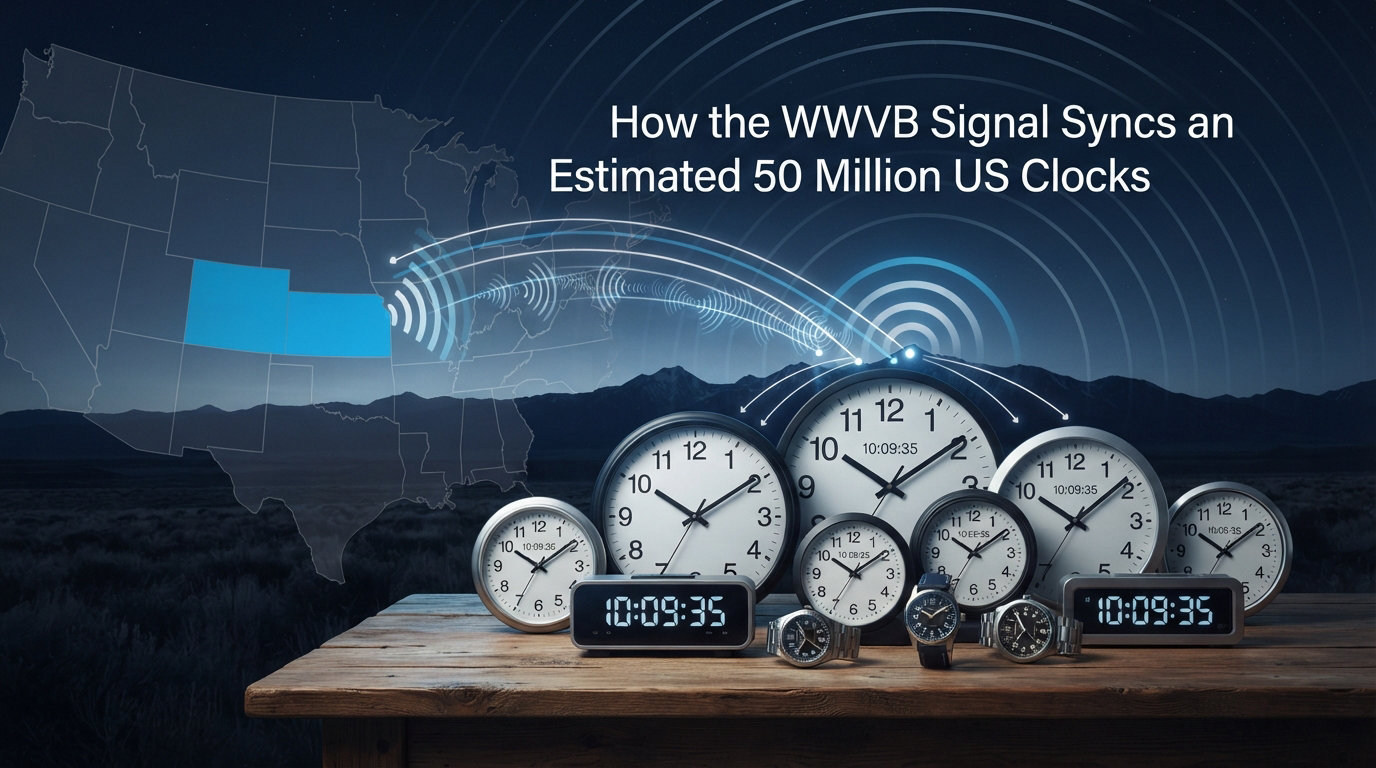
There’s an invisible signal quietly keeping time for an estimated 50 million clocks across the United States. Right now, while you read this, a low-frequency radio transmission from Fort Collins, Colorado is ticking along at exactly 60 kHz. It’s called WWVB, and most of us never think about it. But every night, it synchronizes wall clocks, desk clocks, travel alarms, and wristwatches to NIST atomic time without you lifting a finger.
I dug into how this hidden network works because I wanted to understand why my radio-controlled clock occasionally loses sync. What I found was a surprisingly elegant system that has kept American time accurate for over 60 years. The more I read about it, the more I appreciated how much engineering goes into a free public service most people assume just works.
This guide explains the WWVB signal from transmitter to your clock. You’ll learn the technical process, coverage reach, and how time zones and DST happen automatically. I’ll also cover troubleshooting tips for when your clock refuses to sync, drawn from real forum threads where users describe their struggles.
Table of Contents
What Is the WWVB Signal?
The WWVB signal is a 60 kHz continuous-wave radio transmission broadcast by the National Institute of Standards and Technology (NIST) from a facility near Fort Collins, Colorado. The station derives its time code from a set of cesium atomic oscillators located on-site and modulates that code onto the carrier wave for the world to receive.
NIST has operated WWVB since 1963. Today, an estimated 50 million radio-controlled clocks across the United States rely on this single transmitter to maintain accurate time. The signal covers the continental US, much of Canada, and parts of Mexico. That makes it one of the longest-running civilian time broadcasts in the world.
The station’s antenna system radiates about 50 kW of effective radiated power, which gives the signal enough strength to reach small receivers inside homes and offices. Despite this power, the actual signal strength at any receiver is extremely weak because the 60 kHz frequency travels via ground wave propagation, following the curvature of the Earth rather than bouncing off the ionosphere.
How the WWVB Signal Synchronizes Clocks
A radio-controlled clock is not actually an atomic clock. It’s a precision quartz clock that periodically checks itself against an atomic clock through the WWVB signal. The radio receiver is a helper, not the timekeeper itself. Once your clock has decoded the signal from WWVB, it synchronizes its internal mechanism to the message received by radio and then runs on quartz until the next check.
The synchronization process happens in four distinct stages:
Step 1: Signal Detection
The clock’s internal antenna picks up the 60 kHz carrier wave, typically during overnight hours when atmospheric noise is lowest. Most clocks attempt to sync once every 24 hours, usually between midnight and 4 AM local time. Some models try every few hours, others only once per day.
Step 2: Decoding the Time Code
WWVB broadcasts time information at a rate of 1 bit per second using a modified IRIG H time code format. Each binary digit represents a piece of information: the current minute, hour, day of year, year, and a daylight saving time flag. A full minute of clean data is required before most clocks commit to a time change.
Step 3: Time Zone Adjustment
Once decoded, the clock applies the correct time zone offset based on its pre-programmed setting. A clock set to Eastern Time subtracts 5 hours from the transmitted UTC value during standard time. The clock’s firmware, not the broadcast itself, decides the local offset.
Step 4: Quartz Oscillator Adjustment
Finally, the clock adjusts its internal quartz oscillator to match the decoded time. Quartz crystals vibrate at precise frequencies when voltage is applied, typically 32,768 Hz. By trimming this frequency to match the atomic reference, the clock stays accurate to within a fraction of a second per day between syncs, often less than one second of drift per week.
The 60 kHz Frequency and Time Code
The choice of 60 kHz is not arbitrary. Low-frequency signals in this band travel efficiently along the ground and through buildings, which is essential for indoor reception. Higher frequencies would require line-of-sight paths and would struggle to penetrate walls, roofs, and other obstacles between the transmitter and your clock.
The time code itself uses amplitude modulation. During each second, the signal’s power is either reduced by 10 dB (a binary 0) or 17 dB (a binary 1). Receivers measure these power reductions to reconstruct the bit stream. The difference in reduction depth is what tells the clock whether the bit represents a 0 or a 1.
A complete time code message takes one full minute to transmit. Each minute contains 60 bits, one for each second. The bits encode specific data fields:
Seconds markers at positions 0 and 59
Minute value at positions 1 through 8
Hour value at positions 12 through 19
Day of year at positions 22 through 34
Year (last two digits) at positions 45 through 49
DST status flag at position 57
If your clock loses power and resets, it must receive at least one complete minute to display the correct time. Many clocks require multiple successful minutes to verify signal integrity before committing to a new time setting. This redundancy prevents a single noisy second from causing an incorrect display.
WWVB Signal Coverage Area
WWVB’s coverage extends across most of North America, though signal strength varies significantly by location. Receivers within 1,000 miles of Fort Collins typically receive strong signals, while clocks on the East Coast or in southern Florida often struggle to pick up anything reliable.
Several factors affect coverage at any given location:
Distance from transmitter: Signal strength decreases with distance
Terrain: Mountains and hills can block ground wave propagation
Atmospheric noise: Electrical storms and solar activity increase interference
Local interference: Electronics, LED lights, and metal objects near the clock
Time of day: Nighttime reception is consistently better than daytime
NIST publishes coverage maps showing predicted signal strength at different UTC times throughout the day. These maps help users in marginal coverage areas identify the best synchronization window. Users in the central United States typically enjoy the most reliable reception because of their proximity to the transmitter.
If you live in a major metropolitan area on the East Coast, your clock may only sync reliably during certain overnight hours. I noticed this with my own desk clock in a Boston apartment. It syncs maybe four nights out of seven, and the failures cluster around stormy weather and weekday evenings when neighbors run more electronics.
Time Zone and DST Handling
The WWVB signal transmits Coordinated Universal Time (UTC), not local time. Each radio-controlled clock contains a pre-programmed time zone offset that it applies automatically after decoding the broadcast.
For users in the continental United States, the standard offsets are:
Eastern: UTC-5 (standard) / UTC-4 (DST)
Central: UTC-6 (standard) / UTC-5 (DST)
Mountain: UTC-7 (standard) / UTC-6 (DST)
Pacific: UTC-8 (standard) / UTC-7 (DST)
During daylight saving time, these offsets shift by one hour. The WWVB time code includes a dedicated DST flag bit that tells the clock whether DST is currently active. When the clock decodes this flag, it automatically adjusts the offset without any user input.
This is why your radio-controlled clock changes time correctly during the spring and fall DST transitions, even though it is just receiving UTC. The clock’s internal programming knows the rules and applies them based on the DST flag. A few clocks also account for the DST policy changes enacted in 2007. Quality models have built-in tables that account for the second Sunday in March and first Sunday in November through at least 2026.
Why Nighttime Reception Works Best
Radio-controlled clocks sync best at night, and there are several reasons for this pattern. The primary factor is atmospheric noise from the sun’s effect on the ionosphere.
During the day, the sun ionizes the D-layer of the ionosphere, which absorbs low-frequency radio signals. This absorption reduces the effective range and strength of the WWVB signal. At night, the D-layer dissipates, allowing the signal to propagate more efficiently along the ground.
Additionally, human-made electrical noise decreases significantly during overnight hours. Power lines, appliances, and electronics generate less interference when people sleep. Combined with reduced solar activity, this creates a quieter radio environment that helps weak signals reach indoor receivers.
The 60 kHz frequency itself also benefits from better ground wave propagation at night because the ionospheric absorption that occurs during daylight hours is minimized. This is the same principle that allows AM radio stations to be heard from greater distances after sunset. Most clocks take advantage of these conditions by attempting to sync between midnight and 4 AM local time. If your clock has a synchronization indicator, you’ll likely see it activate most reliably during these hours.
Troubleshooting Common Sync Issues
When your radio-controlled clock won’t sync, the problem usually falls into a few predictable categories. Here’s what to check, in order of how often I’ve seen each cause reported on Reddit and other forums.
Location and Placement
Move the clock to a wall that faces Colorado. From the central US, that’s roughly west. From the eastern US, aim for south-southwest. Avoid placing it near windows with metal frames, on metal desks, or near electronics like TVs and computers. Rotating the clock 90 degrees can also help because the internal antenna has a directional pattern.
Power Supply Issues
Low battery power weakens the receiver’s ability to detect weak signals. Replace batteries with fresh alkaline cells. If your clock has a backup battery for memory, make sure that’s also fresh. A clock running on weak batteries may power its display fine but lack the voltage needed for the receiver circuit.
Metal Interference
Metal roofs, aluminum siding, and steel-reinforced walls block 60 kHz signals effectively. If you live in a building with significant metal construction, try placing the clock near a window that faces the transmitter direction. Some users report success placing the clock in an upstairs room rather than a basement.
Local Electronic Noise
LED light bulbs, dimmer switches, computer monitors, and Wi-Fi routers can generate interference on or near the 60 kHz band. Try moving the clock at least 3 to 6 feet away from these sources. One forum user discovered their kitchen clock only synced when the microwave oven was off, which was a striking example of how household electronics can interfere.
Manual Reset
Most clocks have a manual reset button or sequence, often labeled WAVE, REC, or RESET. After resetting, the clock will attempt to receive the WWVB signal immediately and again during the next overnight window. If your clock shows incorrect hours but correct minutes, the time zone setting is likely wrong. Refer to your clock’s manual for instructions on changing the zone.
If sync attempts consistently fail for more than a week, the clock may have a defective receiver. Contact the manufacturer for warranty service or consider replacing the unit. Quality clocks from established brands typically last 5 to 10 years before the receiver begins to fail.
Limitations of Radio-Controlled Clocks
Despite their accuracy, radio-controlled clocks have real limitations that affect when and where they work well.
Coverage gaps: Some regions receive poor or no WWVB signal, particularly outside North America
Indoor reception issues: Metal buildings, basements, and shielded rooms block signals
Sync delays: Clocks may be off by hours until they receive a complete minute of valid data
Power dependency: Battery failures reset clocks to manual mode until power returns
One-way communication: Clocks cannot transmit back to verify or correct reception
These limitations explain why radio-controlled clocks haven’t fully replaced traditional quartz clocks or smartphone time. They’re best suited for environments with reliable power and reasonable proximity to the transmitter.
For users outside WWVB coverage, alternative time synchronization methods include NTP (Network Time Protocol) for computers, GPS receivers that decode time from satellite signals, and cellular networks that provide time data to mobile devices. Each has its own tradeoffs in accuracy, availability, and infrastructure requirements.
The Future of WWVB and Time Synchronization
NIST continues to operate WWVB because it serves a critical role in national time distribution. The station underwent significant upgrades in the late 1990s and continues to broadcast with modernized equipment. In 2026, the broadcast remains one of the most reliable ways to keep a wall clock accurate without thinking about it.
Some radio-controlled clocks now include GPS receivers as a backup or alternative to WWVB. GPS provides accurate time worldwide but requires an antenna with sky visibility, which limits its usefulness for indoor clocks. Hybrid clocks that try WWVB first and fall back to GPS are becoming more common.
NIST has also explored expanding WWVB’s capabilities to include new data fields beyond basic time information. These enhancements could provide emergency alerts, weather data, and other public information through the same broadcast infrastructure. For most users, though, WWVB remains the simplest way to keep a clock accurate without thinking about it. The signal has been quietly doing its job since 1963, and an estimated 50 million devices continue to rely on it every single night.
FAQs
How do I sync my radio-controlled clock?
Start by inserting fresh batteries and pressing the manual reset or WAVE button. Place the clock on a wall facing Fort Collins, Colorado, away from electronics, metal, and LED lights. Most clocks will attempt to sync immediately and again between midnight and 4 AM. Wait at least 24 hours for the first automatic sync to complete before troubleshooting further.
What is the difference between WWV and WWVB?
WWV is a shortwave time signal broadcast on 2.5, 5, 10, 15, and 20 MHz that provides audio time announcements. WWVB is a 60 kHz low-frequency signal that broadcasts a digital time code only, no voice. WWV is meant for human listeners and shortwave receivers, while WWVB is designed for automated radio-controlled clocks that decode the binary data.
How long does it take an atomic clock to sync?
A radio-controlled clock typically needs 2 to 5 minutes of clean signal to decode a complete time message, and most clocks require 3 to 7 consecutive successful minutes before committing to a time change. From a cold start with no signal at all, allow up to 24 hours for the first sync to complete during the overnight reception window.
What is the main disadvantage of using radio atomic clocks?
The main disadvantages are dependence on WWVB signal reception, which fails in metal buildings, basements, and remote areas, plus the fact that these clocks are not truly atomic but quartz clocks corrected periodically. They also rely on battery power, and a reset clock must wait for the next overnight sync window to correct itself automatically.
How often should an atomic clock sync?
Most radio-controlled clocks sync once every 24 hours, typically between midnight and 4 AM local time when atmospheric noise is lowest. Some models attempt sync every few hours, but daily overnight sync is sufficient because quartz drift between syncs is usually less than one second per day. More frequent sync attempts don’t improve accuracy meaningfully.
Why is my atomic clock not syncing?
The most common causes are placement near electronics or metal, weak batteries, distance from the Fort Collins transmitter, or interference from LED bulbs and dimmer switches. Try rotating the clock 90 degrees, moving it to a different wall, replacing batteries, and placing it at least 3 feet from any electronic device. Allow 24 to 48 hours for the next sync attempt.
What does WWVB mean on an atomic clock?
WWVB refers to the call sign of the NIST radio station near Fort Collins, Colorado that broadcasts the 60 kHz time code signal. The letters WWV follow traditional US radio call sign conventions, with the trailing B indicating a second station in the same series. When you see WWVB on your clock’s display, the device is identifying the signal source it is trying to receive.
Does WWVB work better at night?
Yes, WWVB reception is significantly better at night because the sun’s ionization of the D-layer during the day absorbs low-frequency signals. After sunset the D-layer dissipates, ground wave propagation improves, and human-made electrical noise decreases. Most radio-controlled clocks are programmed to attempt sync between midnight and 4 AM for exactly this reason.
Final Thoughts
The WWVB signal is one of those invisible pieces of infrastructure that makes modern life slightly easier. An estimated 50 million clocks across the United States sync to it every night, gaining access to atomic time without any user intervention. Understanding how the signal works helps you troubleshoot when things go wrong.
If your clock isn’t syncing, check placement, batteries, and nearby electronics before assuming the unit is broken. Most sync issues come down to local interference rather than the clock itself. For most Americans, the next time you glance at your radio-controlled clock and notice it’s exactly right, you’ll know there’s a 60 kHz signal traveling hundreds or thousands of miles from Fort Collins, Colorado to keep it that way.